First published on Stackademic on 4 May 2026 and republished on Writeouts by the author.
Since a lot of people were worried I’d get jailed for this 😅: this router was bought years ago, the ISP shut down the service, never collected it, and told us to dispose of it or do whatever we wanted with it. So I’m not hacking an active customer device or stealing any service, just tinkering with abandoned hardware to keep it out of a landfill. When I say “hacking”, I mean exploring and modifying the device, not the ones you see in films like breaking into an ISP’s mainframe or hijacking internet without quota.
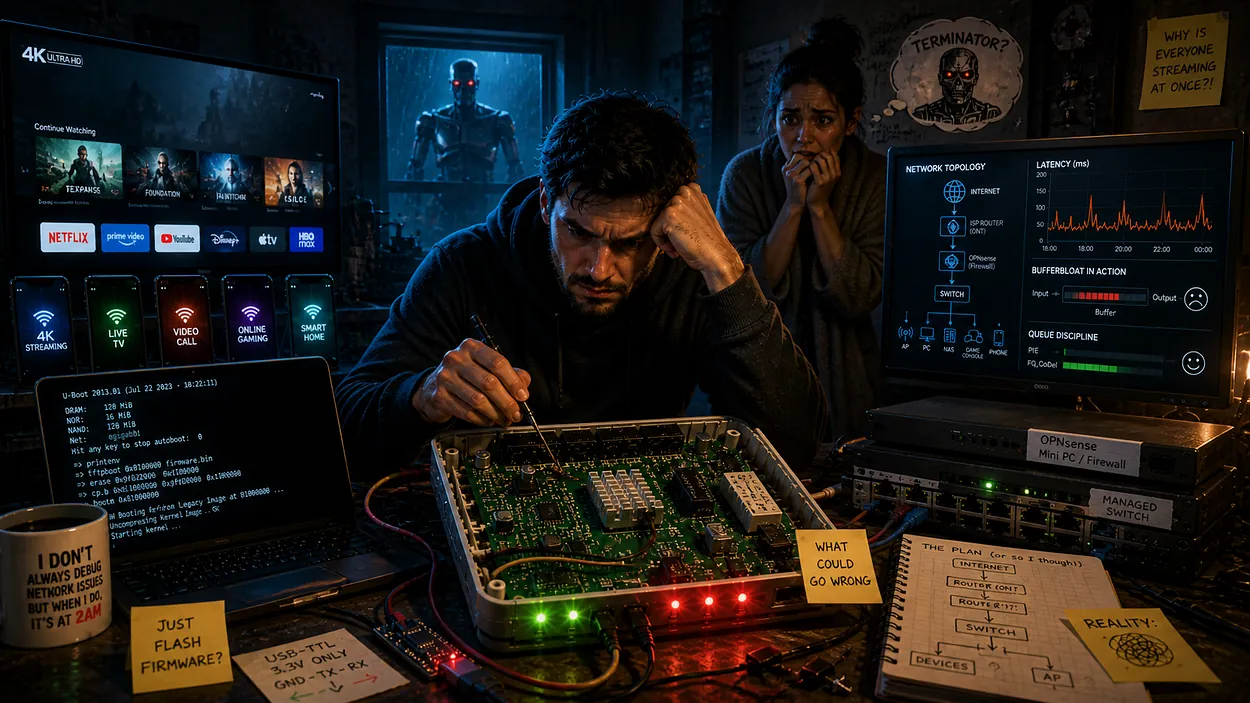
Generated with ChatGPT
I had a simple problem.
Every time I sat down to play, my ping would randomly spike like it was doing cardio. Not constantly, just enough to ruin that one crucial moment. You know the one.
Meanwhile, in the next room:
Two phones casually streaming 4K video about why almond skin is bad for health.
A TV running 24/7, 4K AI-generated spiritual content because, well… Indian parents
And all of this was running through a locked-down ISP router that gave me exactly zero control.
No bandwidth limits.
No device prioritization.
No traffic shaping.
No dignity.
You know what actually I can change in this 3000 rupees router that the ISP gave me? Wi-Fi name. That’s it. That’s all the control I have over the freaking device that I paid for… 😡
So naturally, I did what any rational engineer would do:
I decided to hack the router.
The plan sounded brilliant in my head:
Take the old ISP router lying around
Install custom firmware
Turn it into a fully controlled network brain
Fix latency, control bandwidth, block domains, and more.
Why buy new hardware when I already have perfectly good… questionable hardware? What could go wrong?
Spoiler: A lot.
This story starts with me trying to take control of my network. It ends with me coming to realize skipping my network classes at uni was a very bad idea.
The Plan That Looked Smart (On Paper)
I already had everything I needed.
At least, that’s what I told myself.
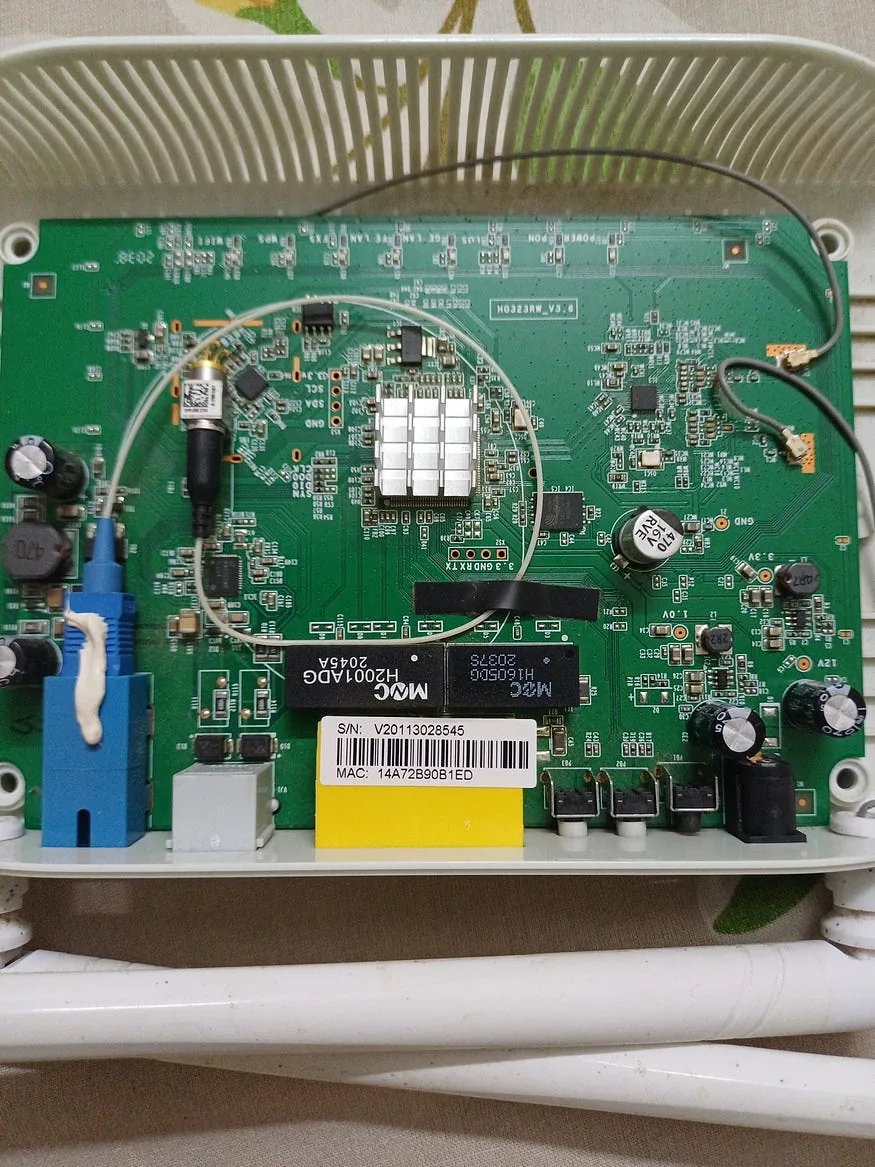
Sitting in my house were two pieces of hardware:
An old ISP ONT/router that was basically e-waste with LEDs
Another router from a previous connection with a few Ethernet ports
Instead of buying proper networking gear like a sane person, I decided to assemble a Frankenstein network.
The idea was simple (and slightly delusional):
Use the old ONT as a controllable router with custom firmware
Convert the second router into a “smart” switch since it has 4 eth ports.
Route everything cleanly and pretend I knew what I was doing
In my head, this was going to be beautiful.
A fully self-controlled home network. Fine-grained control over every device. Zero dependency on the ISP’s garbage firmware.
There was just one small problem. The ONT was locked down harder than expected.
No easy firmware flashing.
No friendly upgrade path.
No “just install OpenWRT and chill.”
Getting custom firmware onto it would mean opening it up and reprogramming the chip directly.
Which… was not part of the original plan.
But before I could even think about flashing anything, I had to answer a much more basic question:
How do I even talk to this thing?
That’s when I fell into the rabbit hole.
UART.
I had heard the term before, but now I actually had to use it. Which meant opening up the router, finding the right pins on the board, and, of course, soldering headers onto it.
I had never soldered anything this small before. So there I was, hunched over a tiny PCB, trying not to bridge pins while questioning every life decision that led me here.
Eventually (eventuaaaaaaaaaaaaaaaly, a lot of time later), I got a connection.
Then I saw gibberish on my screen for 2 hours, then I realized I needed to sync the baud rate (what even is that?).
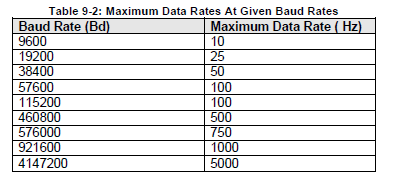
Table from an NI Community forum post
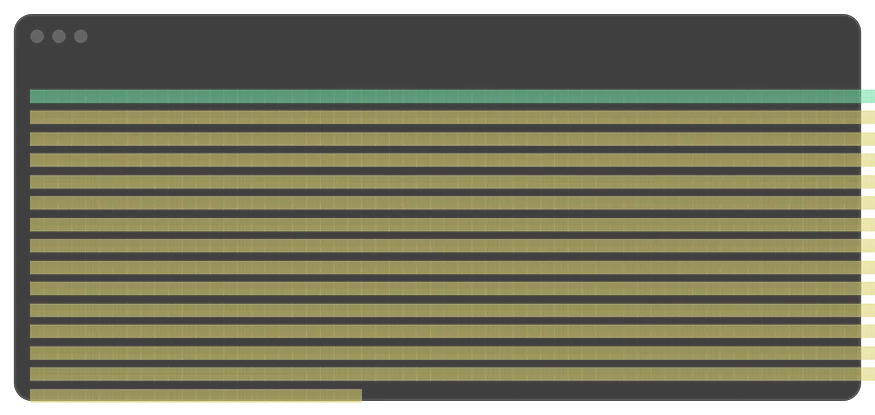
This is what I was seeing every time I turned on the router
I had to try out each baud rate, and finally it worked at 115200. And then… logs. Boot logs.
The moment I saw the logs, I understood that it was running some kind of Linux OS managed by U-boot. But this was different. Like all the partitions are read-only, and there were only a very few commands available. So it's a custom build of Linux, probably due to the memory constraint.
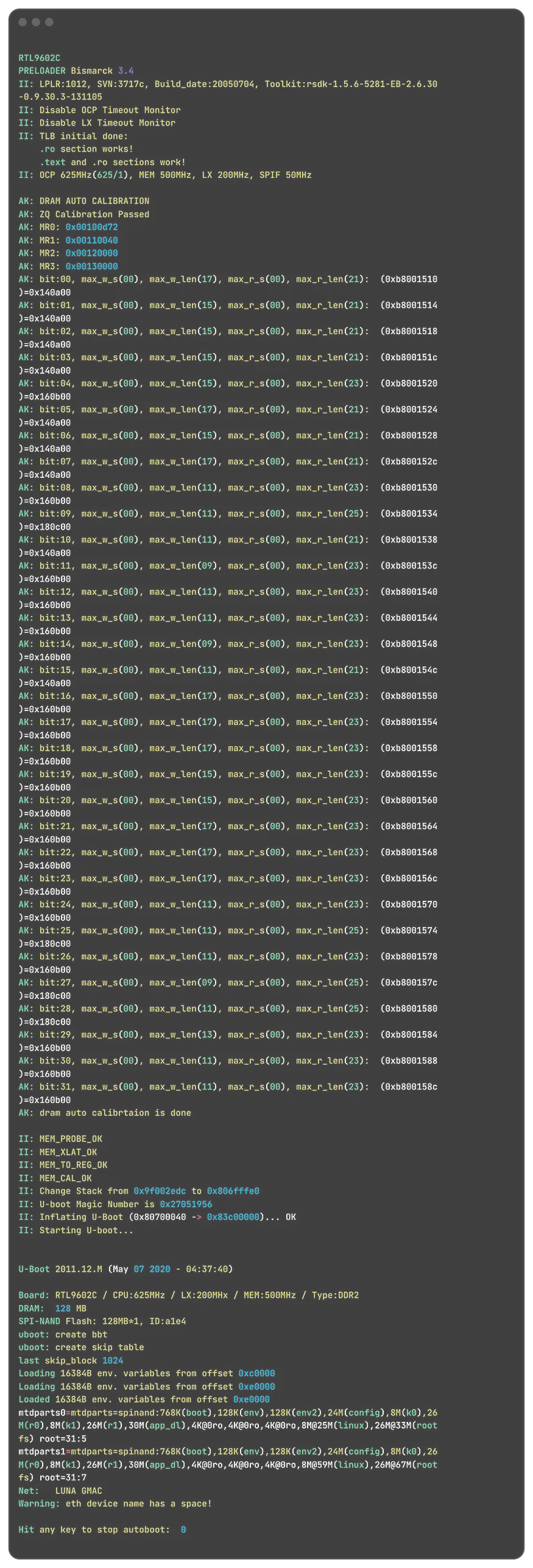
Boot log
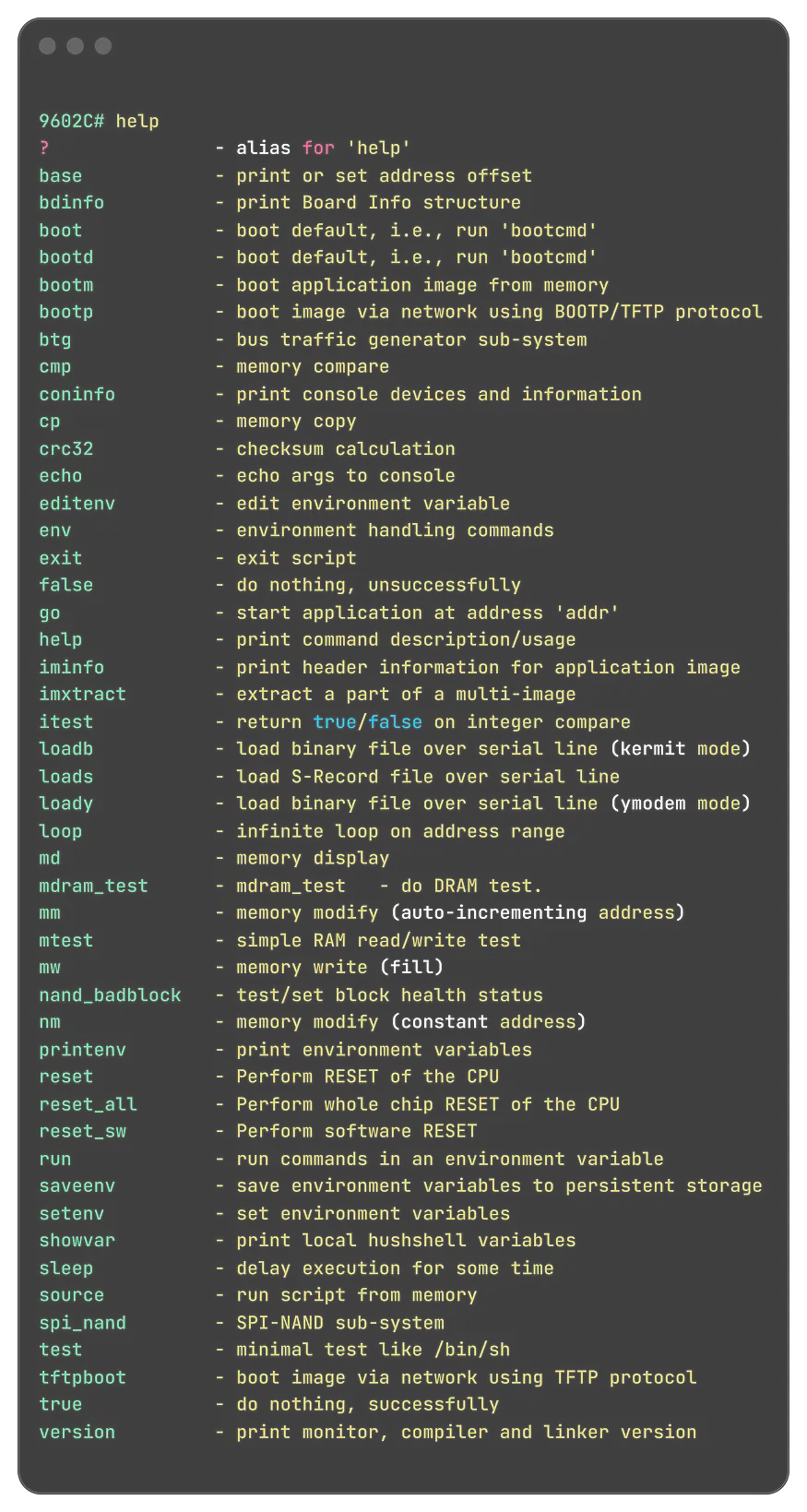
Available commands at the boot loader
But getting access wasn’t easy.
There were locked shells. Unknown credentials. Firmware quirks.
And a lot of trial and error, trying to crack root access without bricking the device.
It was messy. It was frustrating. And it took way longer than I expected.
But slowly, piece by piece, I started to understand how this thing actually worked under the hood.
Only after all of that… did I even begin to think about what to do next.
Reality Check #1 — This Is Not Your Router
Up until this point, I thought I was just dealing with a slightly annoying router.
Something I could eventually bend to my will with enough persistence, solder, and questionable decisions.
I was wrong. This wasn’t a “router” in the way I understood routers.
Till this day, I thought routers just controlled traffic. Nope. Apart from the usual networking features, this thing is basically a device I don’t fully control.
It has remote provisioning baked in. The ISP can push configs whenever they want, and those configs can overwrite whatever you’ve set locally — silently.
I get why this exists. Remote support, faster fixes, large-scale updates. Makes sense on paper.
But here’s the problem… There’s no option to opt out. No toggle. No “pause this”. Nothing in the UI says, “hey, someone else can rewrite your router config anytime they feel like it.”
It just… happens. And in India, where support is already inconsistent at best, this feels worse. You don’t get the benefit of reliable service, but you still give up control.
Now here’s where it gets uncomfortable.
I’ve personally seen situations where configs get messed up, and suddenly a “technician visit” is required to fix it. Maybe it’s incompetence. Maybe it’s the bad systems.
But when the ISP has the ability to remotely break and fix things, and you have zero visibility, it’s hard not to question it.
Why does this happen automatically?
Why is there no user control?
Why is something this powerful completely opaque?
At best, it’s a lazy system design. At worst… You can draw your own conclusions.
Anyways, in other words:
This device wasn’t built to be configured.
It was built to be managed.
By someone else.
Even with root access, something felt off. I could change things… but I didn’t fully understand what breaking them meant.
Right now, what I see is just a blinking brick.
Another day, my table looks like I’m building something that’s gonna explode
According to my girlfriend, this stopped looking like a project somewhere between “open router” and “why are there wires coming out of it?”, and started looking like something that might summon a Terminator.
And for the first time in this project, my confidence took a hit. Not enough to stop, but enough to be careful about what I touch next.
Small Wins That Felt Like Victory
At this point, I was in. Not fully in control, but definitely past the point of no return.
And like any good side quest, the next phase was a series of small wins that felt way bigger than they actually were.
First breakthrough: I managed to bypass the “product mode” lock.
This was the thing preventing resets, blocking configs. Getting past it felt like unlocking a boss fight.
Think about this for a second. I had to get shell access just to make the reset button work.
All the time this router was in use, that button did absolutely nothing. Every time something broke, we had to call a technician — and each visit cost ₹600.
For something as basic as a reset.
Let that sink in.
I couldn’t even fix my own device. Not because I didn’t know how… but because I wasn’t allowed to. 😑
After digesting all the things I've seen so far, that’d keep Louis Rossmann awake at night even after a good day of work and a nice meal, I continued my so-called attempts to hack into this device…
Using the serial console, I started digging into the flash layout:
Partitions
Config blocks
Randomly named sections that looked important
At some point, I did what every cautious engineer definitely shouldn’t do:
I manually erased a configuration partition. Not with full understanding. Not with a backup.
Just vibes and mild confidence, and somehow, it worked. The router rebooted. Rebuilt its configuration, and I was able to access the Web UI again, hoping I would see some hidden options since I was using a super admin password.
I opened the interface expecting to see hidden menus, secret toggles, maybe some forbidden settings unlocked by this newfound power.
But no. It was the same UI with the same options.
At this point, I genuinely believed I had won.
I had low-level access
I could manipulate flash
I could control configurations
I had admin privileges
What else was left?
In my head, I was one step away from installing custom firmware and calling it a day. In reality, I had just unlocked a more complicated problem.
Because everything I had done so far gave me access. But not necessarily the way for things I need to do.
And that difference was about to become very obvious.
Reality Check #2 — Access !== Control
This is where things stopped being fun. Up until now, every step gave me momentum:
Got UART => progress
Got U-Boot => progress
Got root => big progress
Got SuperAdmin => surely final boss defeated
But then I tried to actually do the thing I started this entire project for.
Install custom firmware.
And that’s when everything fell apart.
There was no image I could just flash.
No compatible build.
No “community guide” hiding somewhere on page 7 of Google.
Because this device wasn’t just unsupported. It was fundamentally not designed for what I was trying to do.
I knew this from the start, but I wanted to spend time on this to understand something, maybe like a weird quirk that’ll give me some advantage… but I couldn’t crack it.
The chipset required vendor-specific drivers. The firmware depended on closed components. The boot process expected very specific partition layouts and a specific way of bringing the components to operational mode.
This wasn’t like flashing OpenWRT on a normal router.
This was closer to:
“Build your own firmware from scratch, reverse-engineer missing pieces, and hope the ISP doesn’t remotely undo everything.”
I knew this part was coming.
I just didn’t want to sink time and money into programmer modules and learning all of that up front. I wanted to see if there was a way around it.
Turns out, there isn’t. This is the only way. At least that’s all I can explore with my limited or no knowledge of hardware and hardware hacking.
The Problem Was Never the Router
At this point, it was the afternoon of day four, and I took a few steps back and tried to see the problem from scratch to understand if there was a different way to approach this issue.
The router wasn’t the problem. Just the easiest thing to blame.
The real issue is Bufferbloat. Someone starts streaming 4K => queues fill => latency spikes => my game turns into a slideshow.
The router wasn’t broken. It was doing exactly what most consumer routers do:
Max bandwidth
Zero fairness
All traffic is treated the same
Good for general purposes, but when there is a competitive gamer in the house, things can get troublesome.
I needed control over traffic. Priorities. Limits. Queue management.
In short:
My router can't do that, since it's a locked-down piece of crap.
I didn’t need to hack the router.
I needed something built to manage the network, not something I had to fight just to make it behave.
So, I started looking elsewhere.
The Solution I Avoided for Too Long
The solution was sitting right there the whole time; I just ignored it.
Instead of trying to force intelligence into a locked ISP device, I could introduce something that was actually built for control:
A proper firewall.
A proper traffic manager.
A system that actually understands queues, prioritization, and fairness.
The idea was simple (I believe it’s simple):
Let the ISP router do what it’s good at: providing internet
Move all control into a dedicated layer
Route every device through that layer
I didn’t need to replace firmware or reverse-engineer bootloaders or risk bricking hardware. I just needed to place control at the right point in the network.
With OPNsense on my mini PC that I already use as a home server, I could:
Apply traffic shaping (finally fix latency spikes)
Control bandwidth per device
Enforce firewall rules
Integrate DNS-level blocking
All without touching the fragile internals of the ONT.
It felt almost disappointing. After all that effort, the solution wasn’t clever.
It was correct.
And that’s when I realized something slightly painful: I hadn’t been solving the problem. I had been trying to outsmart it.
I wanted to utilize the router as is without spreading the control to multiple places, but in the end, this is the best I could come up with.
Why I Ended Up Buying a Switch
There was still one problem left. Even with OPNsense ready to take over, my setup had a physical limitation I couldn’t ignore. I only had one network interface on my mini PC.
Which meant everything, WAN and LAN, had to pass through a single port.
Technically, this is solvable.
You can use VLANs.
Tag traffic.
Do “router-on-a-stick.”
Pretend you enjoy debugging it at 2 AM.
I tried all this, but I couldn't get it to work. I'm sure I'm doing something very wrong, but I couldn't find what that is.
So I ordered a switch. It keeps the same plan and makes up for the missing network ports.
For a project that “failed”, I still ended up using almost everything. Just, not the way I originally planned. The old ONT, the one I tried to bend into a custom firmware playground, found a much simpler role:
An access point.
This was acceptable, since this old router has an antenna, and I can control where the coverage is. And also from OPNSense I can control the whole WiFi-based devices to have a set bandwidth and maybe even control other things.
The second router, the one I wanted to magically behave like a managed switch, that’s something I need to find a use for.
Also, since now the control is in my mini PC, I would have a better way to access the system than if I had it in the router itself, since the router doesn't have that powerful CPU or available memory.
Lessons I Paid for in Time (and a Bit of Hardware)
There’s a version of this project where I save a lot of time. This is not that version. But the lessons? Worth it.
1. There is no safe middle ground with locked ISP hardware
I kept searching for a clean, reversible way in — something that wouldn’t risk breaking the device.
That path doesn’t exist.
Partial access, shells, hidden menus, and debug modes only create the illusion of control. You’re still boxed in, and the parts that matter remain out of reach.
2. Real control requires full commitment
Once I realized there’s no safe path, I was ready for the deeper steps. It’s no longer about poking around the edges, it’s about taking full control.
That means going invasive:
Opening the device
Interfacing directly with hardware
Accepting the risk of bricking it
3. Time is more expensive than hardware
I spent hours trying to avoid buying a switch. Eventually bought one anyway.
I could’ve saved time, but then I wouldn’t have learned all this new stuff. So I dunno. I feel like I wasted time, but also I’ve learned a thing or two…
I feel like this is a good approach. I should receive the switch by tomorrow, and let’s see if my assumptions are true.
Stay Curious. Adios 👋
Edited by Rajat Chauhan. How articles here are written and edited.
0 comments
Sign in to join the discussion.
Loading comments…