Introduction
Artificial intelligence is changing the way people communicate, work, and access information online. While AI offers many benefits, cybercriminals can also misuse it to create more convincing phishing emails, fake websites, fraudulent messages, and social engineering attacks. These threats make cybersecurity awareness increasingly important for individuals, businesses, and technology professionals.
Phishing is one of the most common methods used by attackers to steal sensitive information. A phishing attack may attempt to collect passwords, banking details, verification codes, or confidential business information by pretending to be a trusted person or organization. With AI-assisted tools, attackers can generate professional-looking messages and personalize them for specific targets.
Understanding how these attacks work is an important step toward building safer digital habits. This article explains AI-powered phishing, common warning signs, practical prevention strategies, and the importance of cybersecurity education.
What Is AI-Powered Phishing?
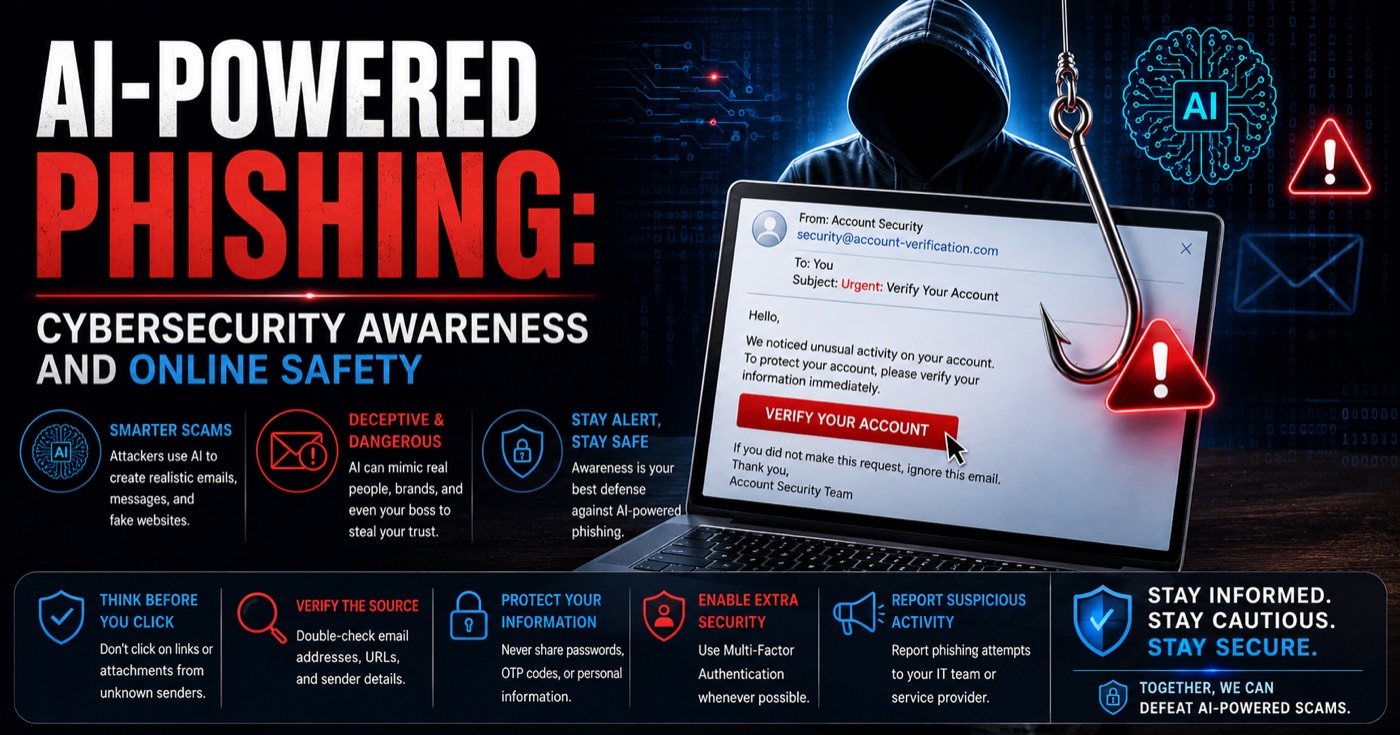
AI-powered phishing is a form of cyberattack in which criminals use artificial intelligence tools to help create deceptive communications. These messages may imitate banks, employers, technology companies, delivery services, or colleagues.
Traditional phishing emails sometimes contain poor grammar, spelling mistakes, and generic greetings. AI can help attackers produce clearer language, adapt messages to different audiences, and create content that appears more professional. This can make suspicious communications harder to recognize at first glance.
For example, a person might receive an email claiming that their business account will be suspended unless they verify their credentials. The message may include a company logo, a realistic signature, and a link to a counterfeit login page.
AI does not make every phishing attack technically advanced, but it can reduce the effort required to create convincing scams. As a result, users should not rely on spelling errors or unusual wording alone to determine whether a message is safe.
How AI Makes Phishing Attacks More Convincing
1. Personalized Messages
Attackers may use publicly available information to customize messages for particular people or organizations. Information shared on professional networking sites, company websites, and social media can help criminals create messages that appear relevant to a recipient.
A fraudulent message might refer to a recent project, a job opportunity, or a workplace process to encourage the recipient to respond.
2. Professional-Looking Emails
AI writing tools can produce fluent, well-structured messages. This reduces one of the traditional warning signs of phishing: awkward language.
However, professional writing does not establish that a sender is legitimate. Users should verify the sender's identity and the purpose of unexpected requests.
3. Fake Customer Support
Cybercriminals may impersonate technical support teams and claim that a user's device or account has a security problem. They may pressure victims into sharing verification codes, installing remote-access software, or visiting a fraudulent website.
Always contact support through the official website or application rather than trusting unsolicited instructions.
4. Voice and Video Impersonation
AI-generated or manipulated audio and video can be used in impersonation scams. An attacker might pretend to be a manager requesting an urgent payment or confidential information.
For unusual financial or sensitive requests, verify the request through a separate, trusted communication channel. Do not rely on a familiar-sounding voice alone.
Common Types of Phishing Attacks
Understanding common phishing techniques helps users identify suspicious activity before information is exposed.
Email phishing: Attackers send fraudulent emails that encourage recipients to click malicious links, open unsafe attachments, or provide login credentials.
Spear phishing: These attacks target specific people or organizations using messages tailored to the intended victim.
Smishing: SMS phishing uses text messages to direct people toward fraudulent websites or persuade them to disclose sensitive information.
Vishing: Voice phishing uses phone calls or voice messages to impersonate trusted organizations and extract confidential information.
Credential phishing: Fake login pages imitate legitimate services and collect usernames, passwords, or other authentication details.
Business email compromise: Criminals impersonate executives, employees, or suppliers to manipulate payments, change banking information, or obtain sensitive business data.
These attacks can overlap. For example, a fraudulent email might be followed by a phone call from someone pretending to be a support representative.
Warning Signs of an AI-Powered Phishing Attack
Even sophisticated phishing attempts may contain clues that deserve attention.
Unexpected Urgency
Messages that demand immediate action, threaten account closure, or insist on urgent payment should be treated cautiously. Attackers often use pressure to prevent victims from checking the facts.
Suspicious Links
Examine the actual destination of a link before opening it. Be alert for misspelled domains, misleading subdomains, unfamiliar web addresses, and unexpected redirects. When in doubt, navigate to the service's official website yourself.
Requests for Passwords or Verification Codes
Never disclose passwords or one-time authentication codes in response to an unsolicited email, text message, or phone call. Legitimate support staff should not need your password.
Unusual Payment Instructions
Unexpected requests to transfer money, purchase gift cards, or change supplier bank details should be independently verified. Use a known phone number or established internal approval process.
Unexpected Attachments
Be cautious with unsolicited documents, compressed files, and executable attachments. Do not enable macros or install software simply because a message claims it is necessary to view a file.
Sender Impersonation
A familiar display name does not guarantee that a message comes from the real person. Inspect the full sender address and confirm unusual requests independently.
Remember that HTTPS, company logos, correct grammar, and personalized details do not automatically make a website or message trustworthy.
Practical Ways to Prevent Phishing Attacks
Cybersecurity depends on consistent habits as well as technical controls. The following practices can significantly reduce exposure to phishing.
1. Enable multifactor authentication. Use MFA wherever possible, particularly for email, financial services, administrative accounts, and cloud platforms. Phishing-resistant authentication methods, such as passkeys or hardware security keys, can offer stronger protection when supported.
2. Use unique passwords. Avoid reusing passwords across websites. A reputable password manager can help create and store strong, unique credentials.
3. Verify unexpected requests. If a message asks for money, sensitive data, or urgent account changes, contact the supposed sender through a separate trusted channel.
4. Keep software updated. Install security updates for your operating system, browser, applications, and security tools. Updates often fix vulnerabilities that attackers may exploit.
5. Avoid logging in through unexpected links. Open the official application or type a known website address yourself when checking an account notification.
6. Back up important files. Maintain regular backups and ensure that critical data can be restored if an incident affects your systems.
7. Report suspicious messages. Use your organization's reporting process or the service provider's official reporting features. Reporting helps security teams identify and respond to emerging threats.
8. Limit public information. Review privacy settings and consider what personal or professional details you share publicly. Information available online may be used to create targeted scams.
Cybersecurity Awareness in the Workplace
Organizations need more than antivirus software to protect themselves against phishing. Employees should understand how to recognize suspicious requests and what to do when something appears unusual.
Regular awareness sessions can teach employees to identify impersonation attempts, verify payment changes, handle attachments safely, and report incidents quickly.
Businesses can also strengthen their defenses with email authentication technologies, spam filtering, endpoint protection, access controls, and security monitoring. Administrative accounts should receive appropriate protection, and employees should have only the permissions needed for their roles.
Incident response procedures are equally important. If someone clicks a suspicious link or submits credentials to a fake website, they should report it immediately. Depending on the situation, the response may include changing affected passwords from a trusted device, revoking active sessions, contacting the IT or security team, and reviewing account activity.
Organizations should encourage prompt reporting without blame. Early reporting can help limit damage and prevent a single mistake from becoming a larger security incident.
Why Cybersecurity Education Matters
Cybersecurity is a constantly developing field that requires technical knowledge, problem-solving skills, and an understanding of human behavior. Learning about phishing, network security, authentication, vulnerabilities, and incident response can help people make better security decisions.
Students and aspiring professionals can begin by studying networking fundamentals, operating systems, web security, and common attack techniques in authorized learning environments. Practical exercises and ongoing learning can help turn theoretical knowledge into useful skills.
Those interested in structured learning can explore the WebAsha Technologies Cyber Security Training Course to learn more about cybersecurity training opportunities.
Security education is valuable not only for people pursuing cybersecurity careers but also for everyday internet users. Everyone who uses email, online banking, social platforms, or cloud services can benefit from understanding common digital threats.
What Should You Do If You Suspect a Phishing Attack?
If you receive a suspicious message, do not click its links, open unexpected attachments, or reply with sensitive information. Verify the claim independently and report the message through the appropriate channel.
If you have already clicked a link, avoid entering any further information. If you submitted a password, change it using the official service from a trusted device and update it anywhere else it was reused. Revoke suspicious sessions where possible and enable multifactor authentication.
If you disclosed financial information or authorized an unexpected payment, contact your bank or payment provider promptly. For workplace accounts, notify your IT or security team immediately and follow its incident response instructions.
The appropriate response depends on what happened, so quick reporting and careful follow-up are essential.
Conclusion
AI-powered phishing demonstrates how cybercriminals can use modern technology to make online scams more convincing. However, awareness, independent verification, strong authentication, updated software, and clear reporting procedures can help reduce the risk.
Never assume that a message is genuine simply because it looks professional or includes personal details. Pause before acting on urgent requests, inspect links carefully, and verify sensitive instructions through trusted channels.
Cybersecurity is a shared responsibility. By staying informed, practicing safe online behavior, and continuously developing security knowledge, individuals and organizations can contribute to a safer digital environment.
Stay alert, think before you click, and make cybersecurity awareness part of your everyday routine.
Edited by Rajat Chauhan. How articles here are written and edited.
0 comments
Sign in to join the discussion.
Loading comments…