To host a Gimkit game, sign in to a free Educator account at gimkit.com, click Play Live on a kit, pick a game mode, set the game options, then share the six-digit game code and press Start Game. Students join at gimkit.com/join with no account. The address gimkit.com/host does nothing on its own: signed out, it opens the login page.
This Gimkit host guide follows the steps in Gimkit's own help centre, which we read on 31 October 2026, and the parts of gimkit.com that load without an account, which we opened the same day from Delhi. Below: what "Gimkit host" means, the host flow step by step, how students join, the modes and options, the player limits, what is free and what Gimkit Pro costs.
Gimkit host at a glance
Question | Answer, checked 31 October 2026 |
|---|---|
Where do you host? | From your dashboard at gimkit.com/me, by clicking Play Live on a kit. gimkit.com/host redirects to the login page |
Who needs an account? | The host (a free Educator account). Students join live games without one |
How do students join? | gimkit.com/join plus the game code, the QR code the host hovers over, or the join link; classes let them join automatically |
Is hosting free? | Yes, on Gimkit Basic, "as long as you like". New accounts get a 14-day Gimkit Pro trial |
What does Pro cost? | $14.99 a month or $59.88 a year; Groups are $650 a year for 20 teachers or $1,000 a year for a school |
Free game modes | "Generally three free game modes at any given time", rotated every few weeks; Pro unlocks all of them |
Player limit | 500 students in a live game; 60 in any 2D mode; 5 in a Pro-exclusive mode on Basic; 5 if a student account hosts |
Can students join late? | Yes by default; the host can switch it off per game and the setting is remembered |
Longest game | 59 minutes; the host can add a minute at a time up to 58 in 2D modes |
After the game | A report per game at gimkit.com/reports, with student, class and question views, saveable as PDF |
What is Gimkit host?
"Gimkit host" is the teacher's side of a live Gimkit game: the screen that shows the game code, the lobby, the leaderboard and the controls. Gimkit itself is a classroom quiz game in which students answer questions on their own devices, earn in-game cash, and spend it on upgrades and power-ups. Its homepage describes "10+ unique game modes and more in development" and is signed by its founder, Josh F., who "started Gimkit as a high school project".
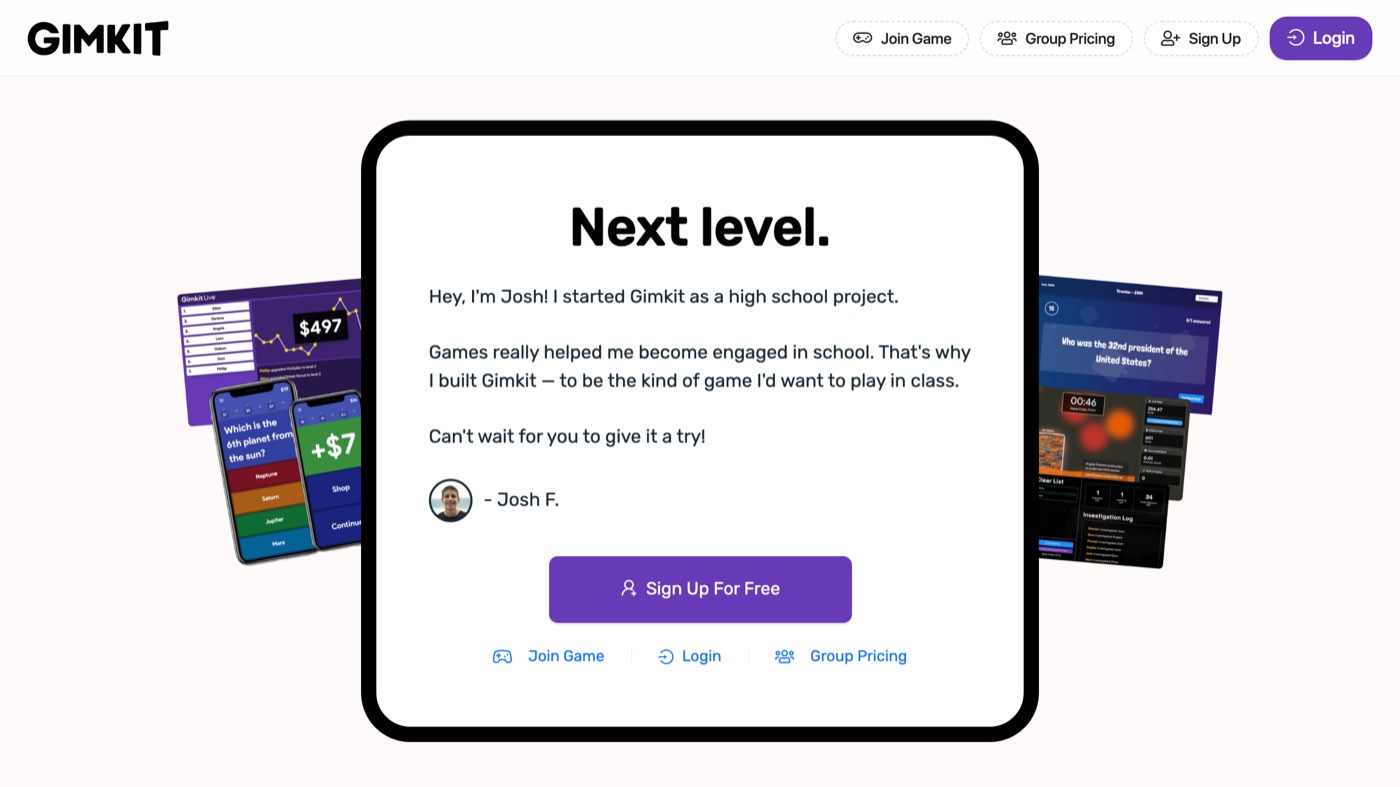
gimkit.com on 31 October 2026 from Delhi, signed out.
Many people search for "gimkit host" or "gimkit/host" expecting a page like gimkit.com/join. There is none. When we opened gimkit.com/host signed out on 31 October 2026, it redirected to gimkit.com/login with "Continue with Google" and "Continue with email". Hosting happens from the dashboard once you are signed in. The help centre's account article says why: "You need a Gimkit account to create kits and host games, making accounts required for Educators. Student accounts are optional."
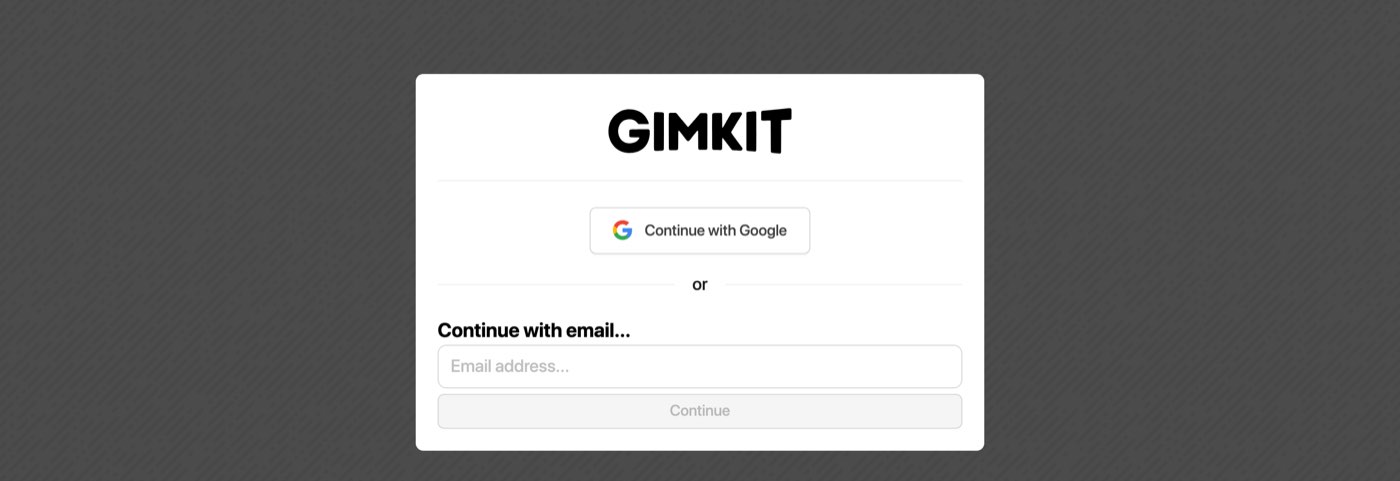
gimkit.com/host on 31 October 2026, signed out: it sends you to the login page, because hosting needs an Educator account.
How to host a Gimkit game, step by step
Gimkit's Host a live game article, updated 19 May 2026, reduces hosting to five things: "Select a kit. Select a game mode. Set up your game options. Share your game code or join link. Start your game." Here is each step with the detail from that article and its neighbours.
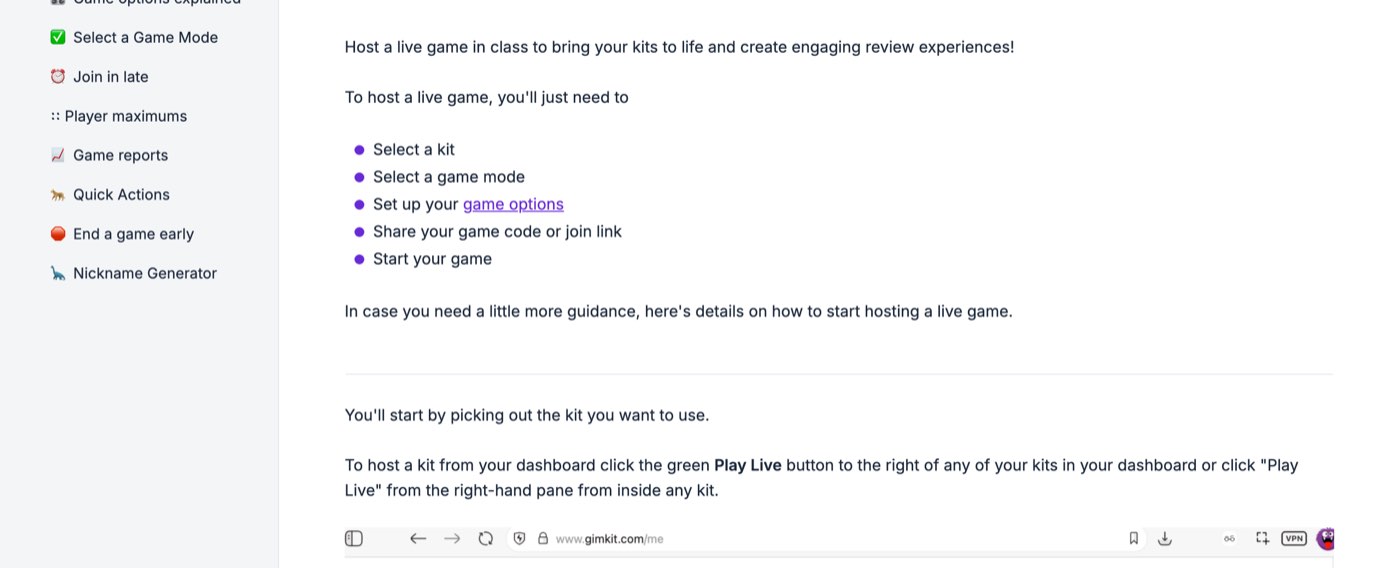
Gimkit's own five steps for hosting a live game, from help.gimkit.com on 31 October 2026.
Sign in and open your dashboard. Go to gimkit.com and log in, or create a free Educator account at gimkit.com/signup with Google or an email address. The dashboard is gimkit.com/me.
Pick a kit. A kit is the question set. Use one you made (New Kit, then questions by hand, from a spreadsheet using Gimkit's CSV template, from a flashcard import, or from KitCollab where students submit questions), or search public kits. If you build the spreadsheet in Excel, a drop-down list for the answer columns keeps the import clean. Then "click the green Play Live button to the right of any of your kits in your dashboard or click 'Play Live' from the right-hand pane from inside any kit."
Choose a game mode. The Mode Picker opens. "Select any mode and click 'Learn More' to read details about that mode. Once you've selected the game mode you want to use, it'll be outlined in yellow." Click Continue in the top right.
Set the game options. "You can decide if you want to connect classes, turn on the Nickname Generator, which game goals you want to use to end the game, whether students can join late, and more." Click Continue again.
Share the code. "A new Lobby tab will open with your game code." Students enter it at gimkit.com/join; hover over the code for a QR code, or click it to copy a direct join link. In 2D modes, a toggle in the lower right lets you join as a player or a spectator.
Check the lobby. In non-2D modes the lobby "is where you'll want to take a look at everyone's names and kick anyone with inappropriate names." Hover over a name and click it to remove the player.
Start the game. Click Start Game: "this button will be in the lower center for 2D games and in the upper right-hand corner for non-2D games." The game ends when the goal you set is reached, or when you click End Game.
The whole sequence takes about a minute once the kit exists. Teacher Mike Neumire's Hosting a Game in Gimkit video walks through the same screens in Fishtopia. It shows the lobby with the code and QR code, and the per-question reward setting.
How do students join a Gimkit host game?
Students go to gimkit.com/join, type the game code from the host's screen, and enter a name. No account, download or email is needed. Gimkit's Join a live game article gives the student side in five lines: look for the game code or QR code on the teacher's screen, go to gimkit.com/join, enter the code, "Enter your name or approve your nickname if your teacher is using the Nickname Generator", and then you are in.
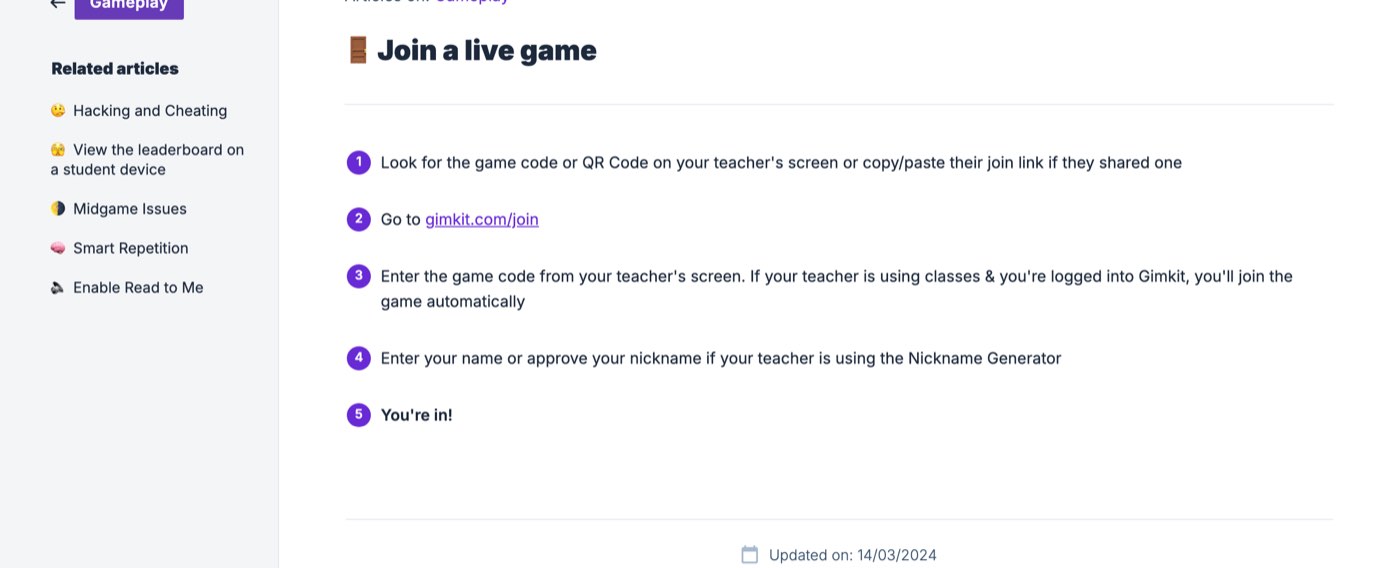
The student side of a Gimkit host game, from help.gimkit.com on 31 October 2026.
We opened gimkit.com/join signed out on 31 October 2026. It is a single box labelled Game Code, numeric only, and a Join button. Entering a made-up code, 123456, returned a red "Game not found" notice. That is the message a student sees after a typo, after the host ends the game, or after the host switches off late joining.
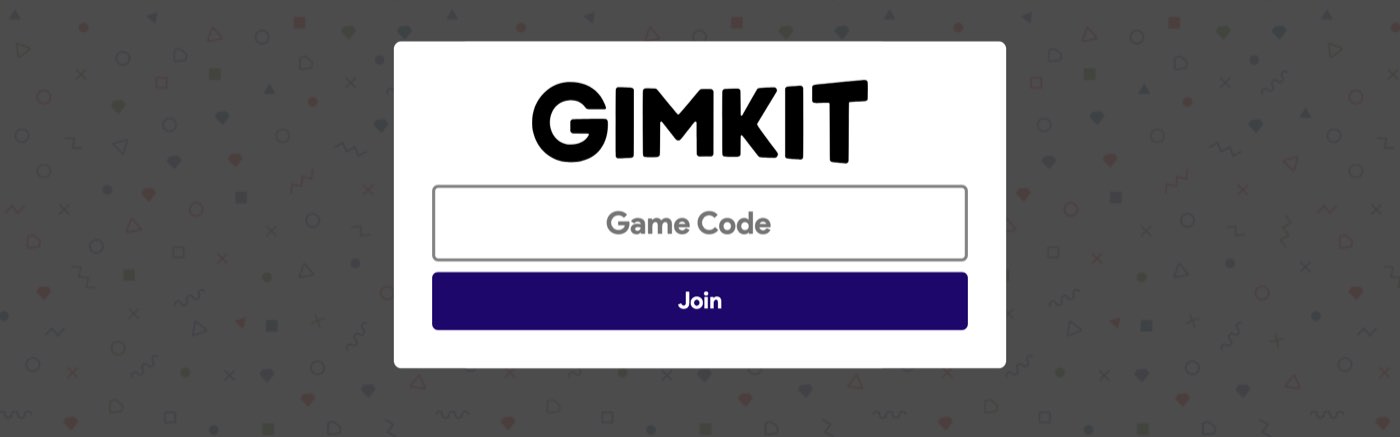
gimkit.com/join on 31 October 2026: the only thing a student needs is the game code.
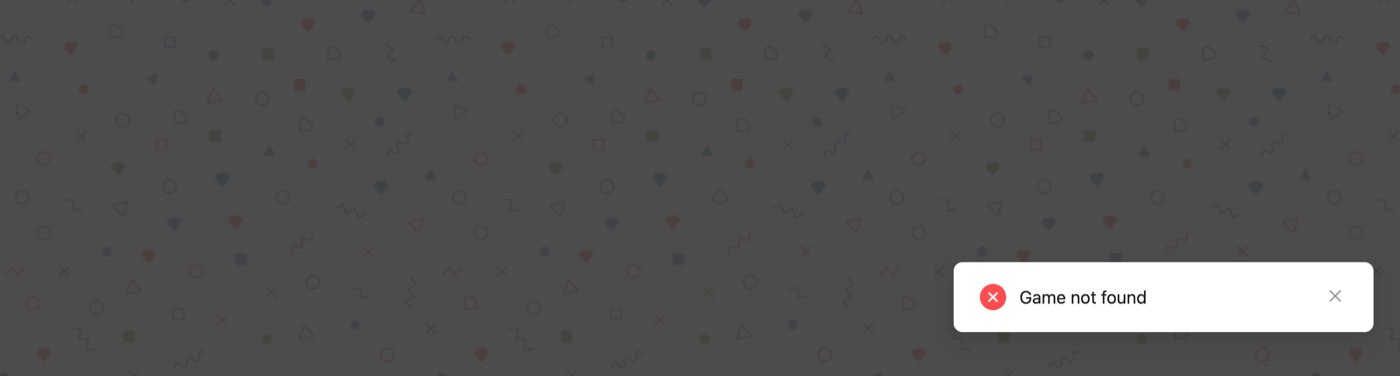
Our test on 31 October 2026: a made-up code gets a Game not found notice, so a mistyped digit is the usual reason a student cannot join.
There are three other ways in, all from the host's screen:
QR code. "When hosting a live game, hover over your game code to pull up a QR Code", and students scan it to join. (QR Codes). The host screen in the help centre's picture reads "Go to gimkit.com/join and enter code 148773" above the QR code.
Join link. Next to the QR code is a button to copy a direct link; students who open it "skip the code and QR code and get dropped directly into your game".
Classes. If the host connects a class in the game options, students who are signed in to Gimkit and in that class "visit gimkit.com/join to join your game instantly", under the names on the class list.
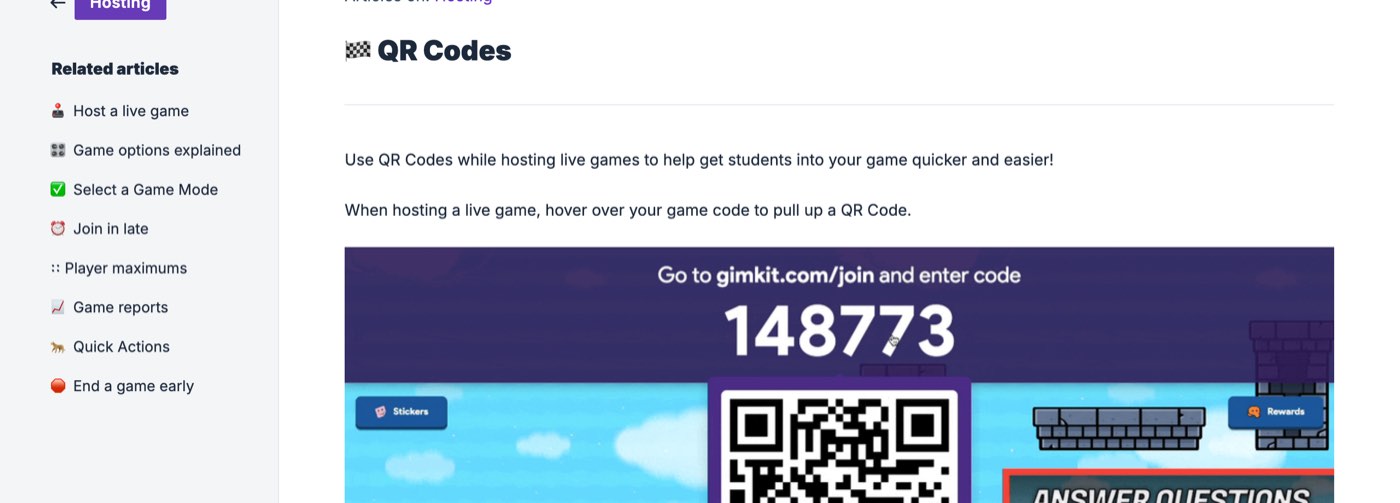
A Gimkit host screen as pictured in the help centre on 31 October 2026: the six-digit code, the join address and the QR code that appears when the host hovers over the code.
To put the code on a projector, click it on the host screen: "Click the game code to enlarge it. If you're projecting your screen or sharing it with your students, this is the best way to blow up the code for late joiners" (Host controls for 2D games).
Which Gimkit game mode should you host?
Gimkit's modes fall into two families, and the host picks one in the Mode Picker each time. The help centre defines 2D modes as the ones "where students explore 2D worlds with little blobby characters called Gims", and notes they "can be more complex, strategic, and engaging than traditional game modes. Or, they can just be fishing." The other family is the classic, leaderboard-style quiz with upgrades and power-ups.
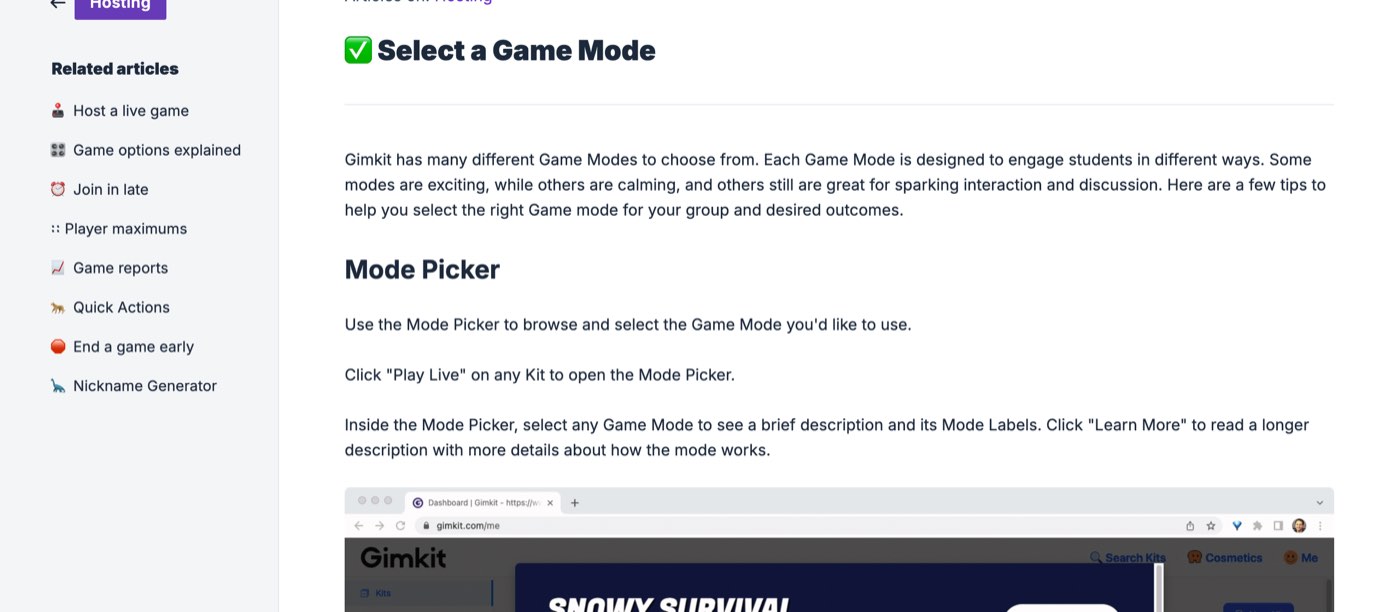
The Mode Picker, as Gimkit's help centre described it on 31 October 2026.
The Select a Game Mode article explains the labels on each mode: "Want to play a calm game that also emphasizes strategy and collaboration? Use the mode picker to browse the modes and find a Game Mode with the 'Calming,' 'Strategic,' and 'Collaborative' labels." Modes the help centre documents by name on 31 October 2026 include:
Classic, as its options screen is captioned in the help centre: "Our original game mode. Learning, upgrades, powerups, and more".
2D modes with their own articles: Snowbrawl (throw snowballs, small map), Snowy Survival (one cursed player hunts the rest), One Way Out (a collaborative escape from a spaceship), Don't Look Down (an aerial obstacle course over six summits) and Blastball (two teams, Gimchester United and Kitcelona).
Other 2D modes named in the game options article: Fishtopia, Tag: Domination, Capture The Flag and Farmchain.
Team Mode, where players cannot be removed mid-game and quick actions are unavailable.
Mike Neumire's 2024 video adds the classic variants a teacher sees in the picker. They are teams, a boss battle ("one student versus the rest of the class"), hidden mode (names and amounts hidden until the end), drained mode (a constant leak of money), Draw That (a Pictionary take) and This or That (two zones for polls and true-or-false). He counts "over 20 game modes"; Gimkit's own homepage says "10+". The picker is the authority on any given day, because the free set rotates.
Which modes are free to host?
Not all of them. The Pro FAQ says: "Basic limits the number of game modes you can play. We rotate our free modes, but there are generally three free game modes at any given time. Gimkit Pro provides unrestricted access to all game modes, we call those Pro Exclusives." A Basic host can still open a Pro-exclusive mode, but, per the player maximums page, "Gimkit Pro Exclusive modes are limited to 5 players for Gimkit Basic members."
A practical rule for a first game: pick a featured mode (free that week) that is labelled Calming if the class is new to Gimkit, and keep the duration short. Fast 2D modes such as Snowbrawl are the ones students ask for, and the ones that need every device to handle WebGL.
What game options can a Gimkit host configure?
Every mode has the same standard options plus its own. The Game options explained article lists the standard set: "A game goal or goals - time, cash, investigations, difficulty level, or number of questions answered", "Connect a class", "Join in late", and "Nickname Generator - disappears if using classes".
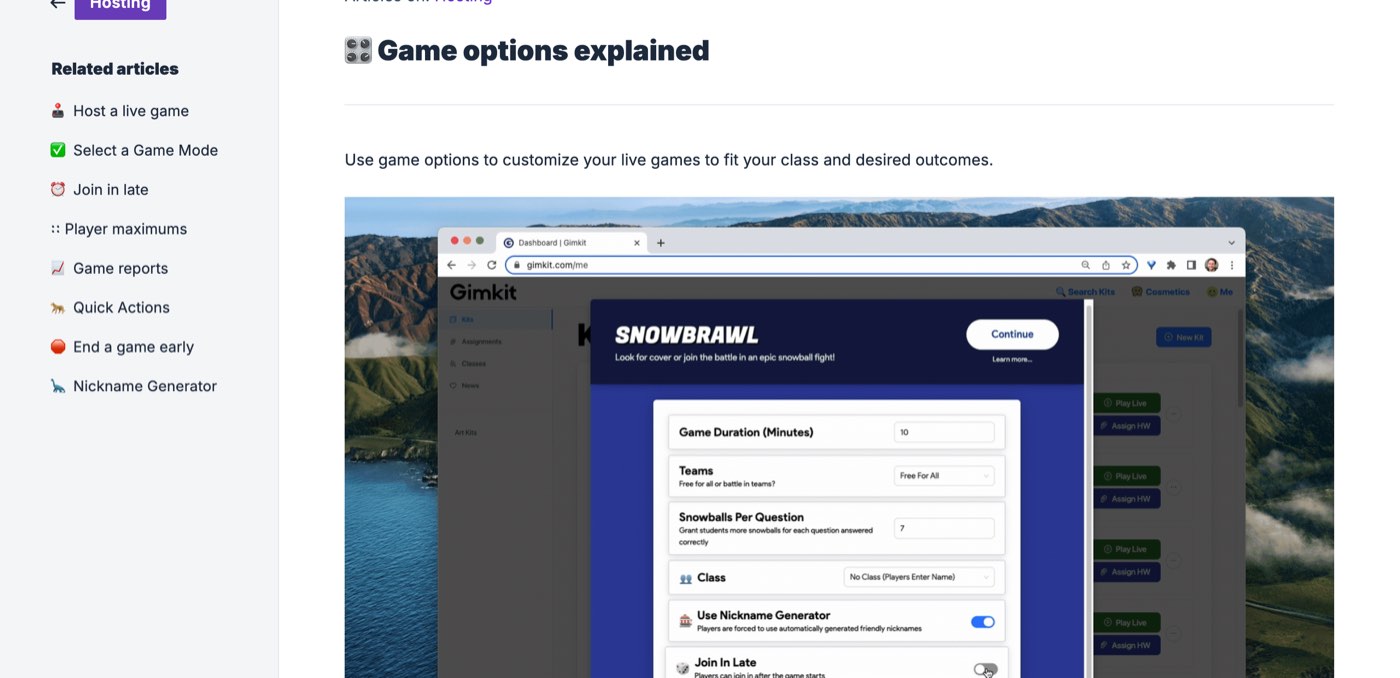
The game options screen for Snowbrawl, as pictured in Gimkit's help centre on 31 October 2026: duration, teams, reward per question, class, nickname generator and late joining.
The Snowbrawl options screen pictured in that article shows what a host sees. Game Duration (10 minutes), Teams (Free For All or teams), Snowballs Per Question (7), Class (No Class, players enter a name), Use Nickname Generator (on) and Join In Late (off). The reward-per-question number is the lever that matters most. The article's advice: "Not enough progression? Give students more reward per question. Too much gameplay and not enough learning? Lower the reward per question." In Fishtopia the reward is bait; in Tag: Domination, Capture The Flag and Farmchain it is energy.
Three options deserve a decision before every game:
Join in late. On by default, and "Your Join in Late selection will save from game to game" (Join in late). Turn it off if outsiders keep appearing: "If you're having trouble with game-crashers, you'll want to turn off the join late option."
Nickname Generator. Assigns "a random, safe name" to each student, who can spin up to three times; it is unavailable when a class is connected, because the class roster already fixes names (Nickname Generator).
Class. Connecting a class makes students join automatically under their roster names and ties the report to them. Classes need student accounts; see Classes Explained.
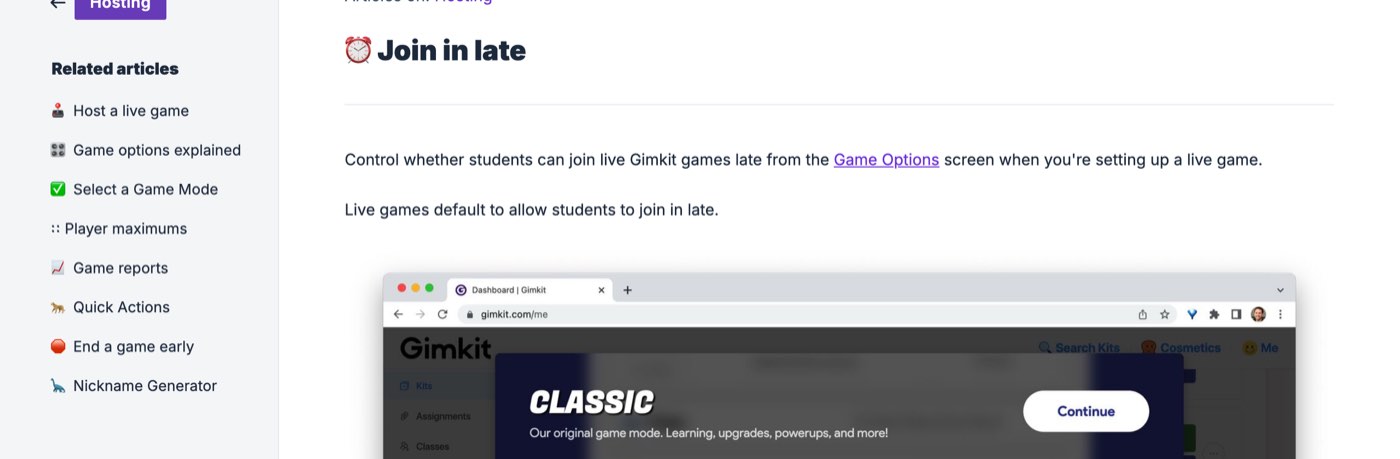
Late joining is on by default and set per game, per Gimkit's help centre on 31 October 2026.
How many players can join a Gimkit host game?
Up to 500 in a live game, and up to 60 in any 2D mode. Gimkit's Player maximums article, dated 25 January 2023, states: "Our hard limit for the number of students that can join a live game of Gimkit is 500 students. We have a separate hard limit of 60 students for all 2D game modes." The same page lowers the cap in two cases: Pro-exclusive modes allow 5 players for Basic hosts, and "If you have a student log in, you'll be limited to hosting a maximum of 5 players in your games."
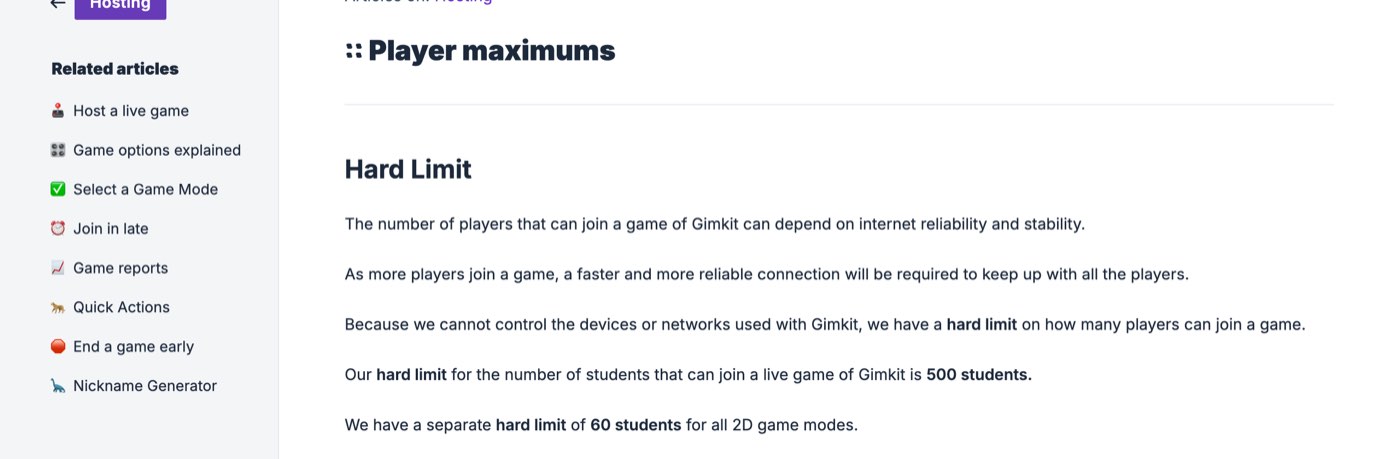
Gimkit's player limits, from help.gimkit.com on 31 October 2026: 500 in a live game, 60 in any 2D mode.
The page also warns that the practical limit is the network: "As more players join a game, a faster and more reliable connection will be required to keep up with all the players." For a normal class of 25 to 35 that is rarely a problem; for a whole-grade game in a hall, a wired host machine and a strong access point matter more than the cap.
How does the host manage players during the game?
The host screen carries a control panel in the top right. In 2D modes the help centre lists the game code (click to enlarge), next and previous buttons to move between the players you are spectating, sound, and leaderboard. Then come players (click a name to spectate or remove) and End Game. In non-2D modes the host sees a leaderboard to project, and clicking a player's name opens an action sheet.
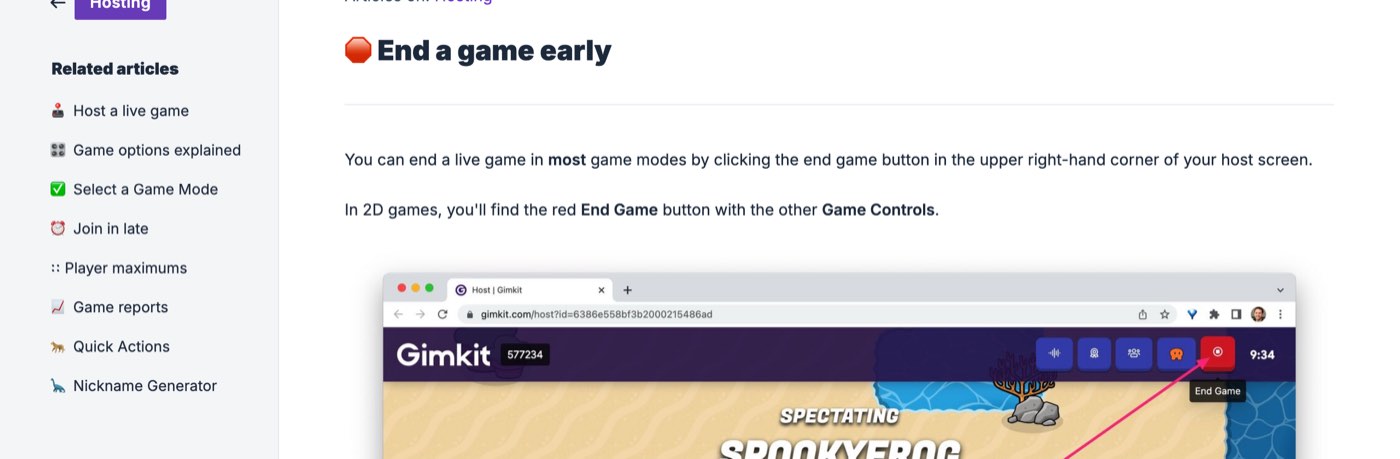
The host controls on a 2D game, as pictured in Gimkit's help centre on 31 October 2026: code, sound, leaderboard, players, End Game and the timer.
Quick Actions (non-2D modes, not Team Mode): "Remove player from game", "Increase balance by 10%", "Decrease balance by 10%" and "Ice!", usable "as many times as you want" (Quick Actions).
Remove a player. In the lobby, hover over the name and click it; in-game, click the name on the leaderboard and choose "Remove from Game". Not possible mid-game in Team Mode (Remove a player).
Add time. In 2D modes, "Click the timer in the upper right-hand corner while hosting any 2D game mode to add 1 minute." The ceiling is 59 minutes, time can be added only up to 58, and "Non-2D games cannot have time added during gameplay" (Add time).
End early. The red End Game button sits with the other controls in 2D games; in non-2D games it is the power-button icon in the top right (End a game early).
Student leaderboard. In non-2D modes students can open the leaderboard on their own device with the D-pad icon, which helps when the class is remote.
Is Gimkit free to host?
Yes. Hosting live games is part of Gimkit Basic, the free plan, and the Account FAQ says you "can use the free version of Gimkit, Gimkit Basic, as long as you like." On Basic, per the Pro FAQ, "you can play Gimkit featured modes with as many students as you want, set up classes (rostering), and collect reports." Every new Educator account starts with a 14-day Gimkit Pro trial, after which it drops to Basic.
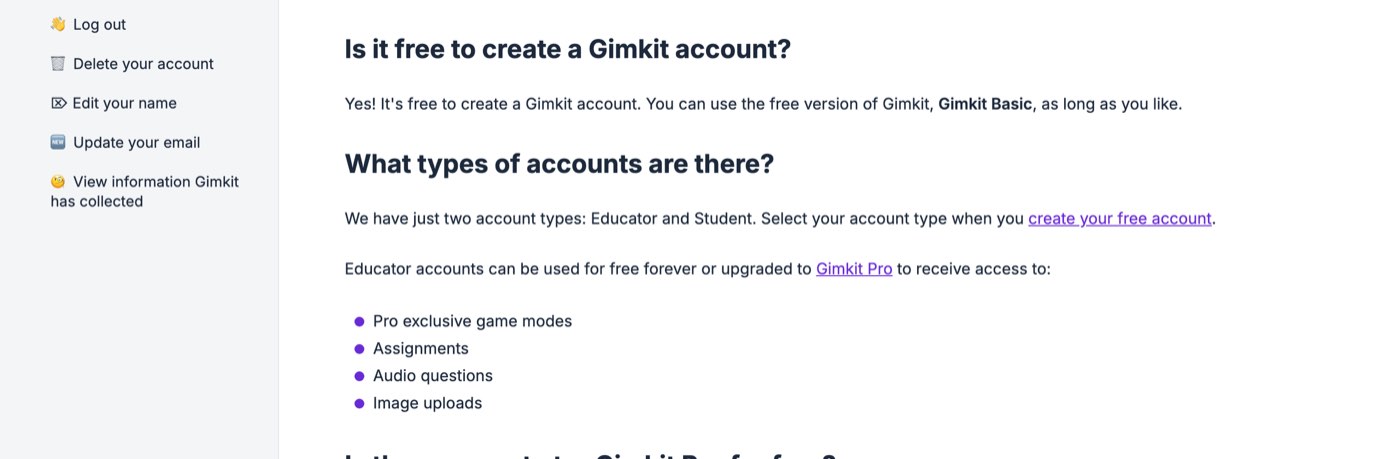
Gimkit's account FAQ on 31 October 2026: hosting is free on Gimkit Basic, and Pro adds modes, assignments, audio and images.
Gimkit Pro adds the Pro-exclusive modes, Assignments (homework students play alone), audio questions and image uploads. The Pro FAQ, updated 20 May 2026, lists two plans: "Gimkit Pro annual, automatically billed once a year at $59.88. Gimkit Pro monthly, automatically billed monthly at $14.99." Its own arithmetic: annual is cheaper if you will use Pro for four months or more in a year.
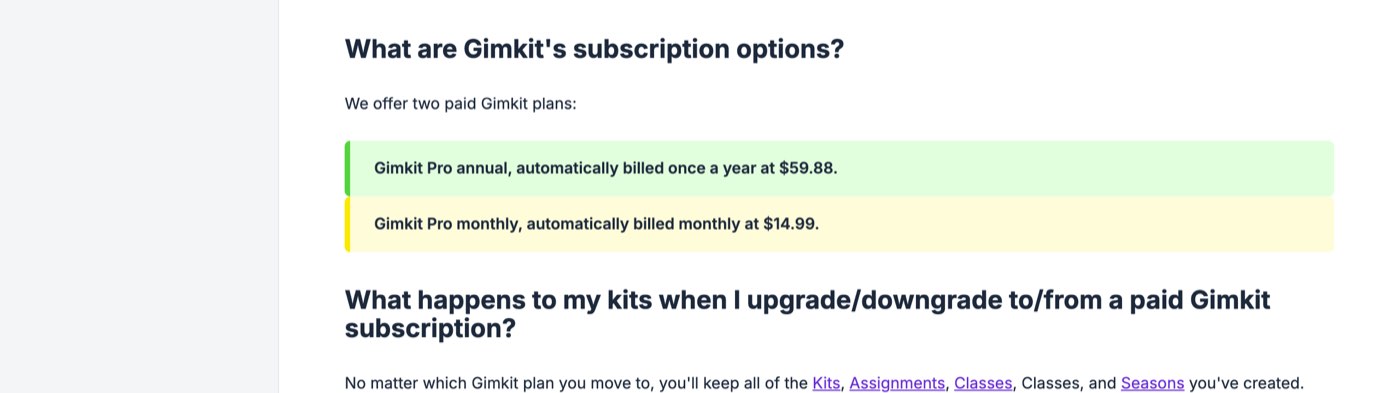
Gimkit Pro prices from the help centre on 31 October 2026: $59.88 a year or $14.99 a month.
Schools buy through Gimkit Groups. The group pricing page, as loaded from Delhi on 31 October 2026, showed two licences: Department, $650 per year for 20 teachers, and School, $1,000 per year for every teacher at the school. Licences run 365 days and do not auto-renew. Purchase orders are accepted for groups only, and a school licence can cover "up to 100 across multiple buildings" (Gimkit Groups explained).
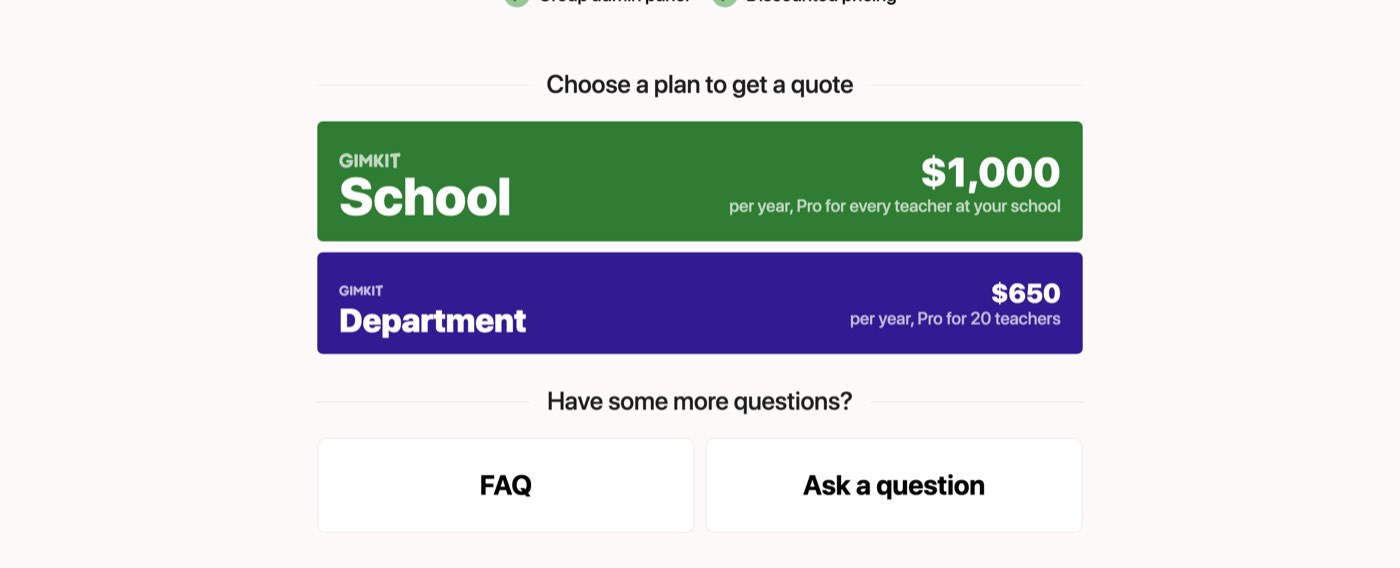
gimkit.com/group/pricing on 31 October 2026, loaded from Delhi: the two school licences, in US dollars.
Teachers comparing classroom tools will find the same no-ads stance in few of them; our note-taking app roundup shows how rare it is. Why there is a paid tier at all is on the same FAQ: "We've decided not to allow ads in Gimkit or raise money from outside investors." Prices are in US dollars on every page we loaded; there was no rupee or other local price.
Can students host a Gimkit?
Only a small one. A Student account can host, but "you'll be limited to hosting a maximum of 5 players in your games", per the player maximums page. For a class game the host needs an Educator account, which is the account type chosen at sign-up. Students do not need any account to play a live game; they need one only for classes, or to earn XP and buy cosmetics in 2D modes.
Can you host a Gimkit without an account?
No. Hosting, like creating a kit, needs an Educator account, and gimkit.com/host sends a signed-out visitor to the login page. The account itself is free, and signing up with Google takes one click. What works without any account is joining: gimkit.com/join asks only for the code.
What happens after a Gimkit host game ends? Review the report
A report. "After you host a kit that you own, you'll be provided a report with class and individual data", says the Game reports article: click View Report at the end of the game, or find it later at gimkit.com/reports. Each report has three views, Student Overview, General Overview and Question Breakdown, and can be saved as a PDF. If you suspect cheating, the per-student question breakdown is where Gimkit's own support points first.
If you want students to keep practising, every kit also has a practice link (questions only, no game), and Pro members can turn the kit into an Assignment with a single link for all classes. For self-paced review outside Gimkit, our Khan Academy review covers what works without an account there too.
Common Gimkit host problems, and the fixes Gimkit gives
Most hosting failures are network or browser problems on the student side, and Gimkit's troubleshooting articles are specific about them:
Domains to unblock. The IT department needs to allow "*.gimkit.com - for our main site, images, & audio", "*.gimkitconnect.com - for our game servers" and "*.pexels.com - for cover photos" (List of domains to unblock, updated 20 May 2026).
Compatibility test. gimkit.com/check runs the tests; the connection article explains the failures, most often a firewall or proxy blocking secure WebSockets to *.gimkitconnect.com on ports 80 and 443. Gimkit's status page is gimkit.crisp.watch.
2D modes will not load. They need WebGL; Gimkit's WebGL article walks through Chrome's "Use graphics acceleration when available" setting and the Safari and Firefox equivalents.
Balances not updating mid-game. Packet loss on slow or congested wireless networks, per the Midgame Issues article; fewer devices per access point helps.
Google sign-in fails for students. Since Google Workspace for Education's October 2023 change, an admin must mark Gimkit as "Trusted" for under-18 users who sign in with school Google accounts.
How this was checked
Everything above was read on 31 October 2026 (the evening of 30 October UTC) from a home broadband connection in Delhi, with no Gimkit account. We opened gimkit.com, /host, /login, /join, /signup and /group/pricing in Playwright's headless Chromium with a fresh profile and no sign-in. We tested the join form with a made-up code. The hosting steps, options, limits, prices and troubleshooting text are quoted from help.gimkit.com articles saved that day. Each article's own "Updated on" date is given where it matters. The two YouTube videos Google surfaces for this query were read from their transcripts.
What we did not do: create an account or host a real game, so the host screens shown are the help centre's own pictures rather than ours, and we did not test Pro features, assignments or classes. Prices were read from Gimkit's pages as served to India and were shown in US dollars.
Frequently asked questions
How do you host a Gimkit?
Sign in to an Educator account at gimkit.com, click Play Live on a kit, choose a game mode, set the game options, share the six-digit code that appears in the lobby, and click Start Game. Those are the five steps in Gimkit's help centre as of 31 October 2026.
Where is gimkit.com/host?
It is not a page you can use directly. Signed out, gimkit.com/host redirects to the login page; signed in, you host from your dashboard by clicking Play Live on a kit.
How do students join a Gimkit game?
At gimkit.com/join with the game code, by scanning the QR code the host shows, or through the join link the host copies. No student account is needed for a live game.
Is it free to host a Gimkit game?
Yes. Gimkit Basic is free for as long as you like and includes live games with any number of students in the featured modes, classes and reports. Gimkit Pro costs $14.99 a month or $59.88 a year and unlocks every mode plus assignments.
How many players can join a Gimkit?
500 in a live game, 60 in a 2D mode, 5 in a Pro-exclusive mode hosted on the free plan, and 5 if a student account is hosting, per Gimkit's player maximums page.
Can a student host a Gimkit?
Yes, but a Student account can host at most 5 players. A full class game needs an Educator account, which is free.
Can students join a Gimkit late?
Yes by default. The host can switch Join in Late off on the game options screen, and Gimkit remembers that choice for the next game.
How many game modes does Gimkit have?
Gimkit's homepage says "10+ unique game modes"; teachers' walkthroughs count over 20 including variants. About three are free at any time and rotate every few weeks; Gimkit Pro unlocks all of them.
What do you do if a Gimkit game will not load?
Run gimkit.com/check, ask IT to unblock *.gimkit.com, *.gimkitconnect.com and *.pexels.com, make sure WebGL and graphics acceleration are on for 2D modes, and move students off a congested wireless network if balances stop updating.
Business management student writing about AI tools, business software and productivity apps. Looks at each one the way a buyer would: what it costs, what it actually does, and where it falls short.
See everything by @sanil-vaghaniEdited by Rajat Chauhan. How articles here are written and edited.
0 comments
Sign in to join the discussion.
Loading comments…