iLovePDF, or "i love pdf" as most people type it, is a free website with 30 PDF tools: merge, split, compress, convert to and from Word, Excel and PowerPoint, sign and protect. It needs no account, deletes your files within two hours, and comes from a Barcelona company that has run it since 2010. Free use is capped per task by file size and count; Premium lifts the caps for ₹242 a month.
We tested it on 23 October 2026 with our own files on the live tools: a 6.50 MB image-heavy PDF shrank to 704 KB in about six seconds, a merge and a Word conversion each took under 25 seconds end to end, and nothing asked us to sign in. Below: what each tool allows for free, what Premium costs in India, how safe it is, and the one site you should not confuse with it.
What is iLovePDF (I Love PDF)?
iLovePDF is an online toolkit for working with PDF files in a browser. You open a tool, drop a file on it, press one button and download the result. The homepage puts it simply: "Every tool you need to work with PDFs in one place", and says every one of them is free. The searches show what people come for: "i love pdf merge" and "i love pdf compress" are the most common tool queries after the name itself, and as a PDF converter it handles Word, Excel, PowerPoint and JPG in both directions.
The company behind it describes itself as "born and based in Barcelona in 2010" on its about page; the domain was registered on 16 December 2009, according to the .com registry. The founder, Marco Grossi, is listed as CEO, and the same company runs iLoveIMG (images), iLoveSign (e-signatures) and iLoveAPI (the tools as an API). It is one of the most visited PDF sites anywhere: Ahrefs counts about 18 million searches a month for "i love pdf" worldwide, 8.9 million of them from India.
The 30 tools on the homepage, grouped:
Job | Tools |
|---|---|
Combine and reorder | Merge PDF, Split PDF, Organize PDF, Rotate PDF, Crop PDF, Page numbers |
Shrink and fix | Compress PDF, Repair PDF, PDF to PDF/A |
Convert from PDF | PDF to Word, PDF to PowerPoint, PDF to Excel, PDF to JPG, PDF to Markdown, OCR PDF |
Convert to PDF | Word to PDF, PowerPoint to PDF, Excel to PDF, JPG to PDF, HTML to PDF, Scan to PDF |
Mark up and sign | Edit PDF, Sign PDF, Watermark, Redact PDF, Compare PDF, PDF Forms |
Lock and unlock | Protect PDF, Unlock PDF |
AI | AI Summarizer, Translate PDF |
One thing the names hide: Edit PDF adds text, images, shapes and drawings on top of a page. The homepage describes it as "Add text, images, shapes or freehand annotations to a PDF document", with editing limited to "the size, font, and color of the added content". It does not rewrite the text already printed in the file. For that you convert to Word, edit, and convert back.
There are also apps: iOS and Android ("Your favorite tools, right in your pocket") and a desktop app for Mac and Windows that the site says works "with no internet and no limits". On the pricing page, desktop and mobile access is listed under Premium, so expect the free apps to carry the same limits and upgrade prompts as the website.
Is iLovePDF safe?
For ordinary documents, yes. The facts, from the company's own security page:
Files are deleted. "All files processed within our platform are automatically and permanently deleted within two hours of being processed." The download screen has a trash icon that deletes them at once. The one exception is signed documents: "we retain signed documents for a maximum of 5 years in compliance with legal requirements."
Transfer is encrypted. Uploads and downloads go over HTTPS, and the company holds ISO/IEC 27001:2022 certification, which it says was renewed in 2023.
It is under European data law. "As a Europe-based company, iLovePDF is fully GDPR compliant," and "We do not sell your data to third parties."
Two cautions. First, the page also says "we employ end-to-end encryption", which is not what those words usually mean: the server has to open your file to compress or convert it, so for two hours a copy exists on a computer you do not control. That is fine for a résumé or a scanned form. For a bank statement, an Aadhaar card or a client contract, use something that never leaves your machine: Preview on a Mac, the print-to-PDF function in Windows, or the free PDF24 Creator, which runs offline.
Second, make sure you are on the right site. ilovepdf.com is the company's only website. A separate site, ilovepdf2.com, calls itself "i Love PDF 2 - The Only 100% Free PDF Tools" and ranks on the first page of Google for the name. It was registered on 10 March 2023 through a different registrar, and nothing on it links to the real company. We did not test its tools and are not saying it is harmful, only that it is not iLovePDF, and that any promise it makes about your files is its own.
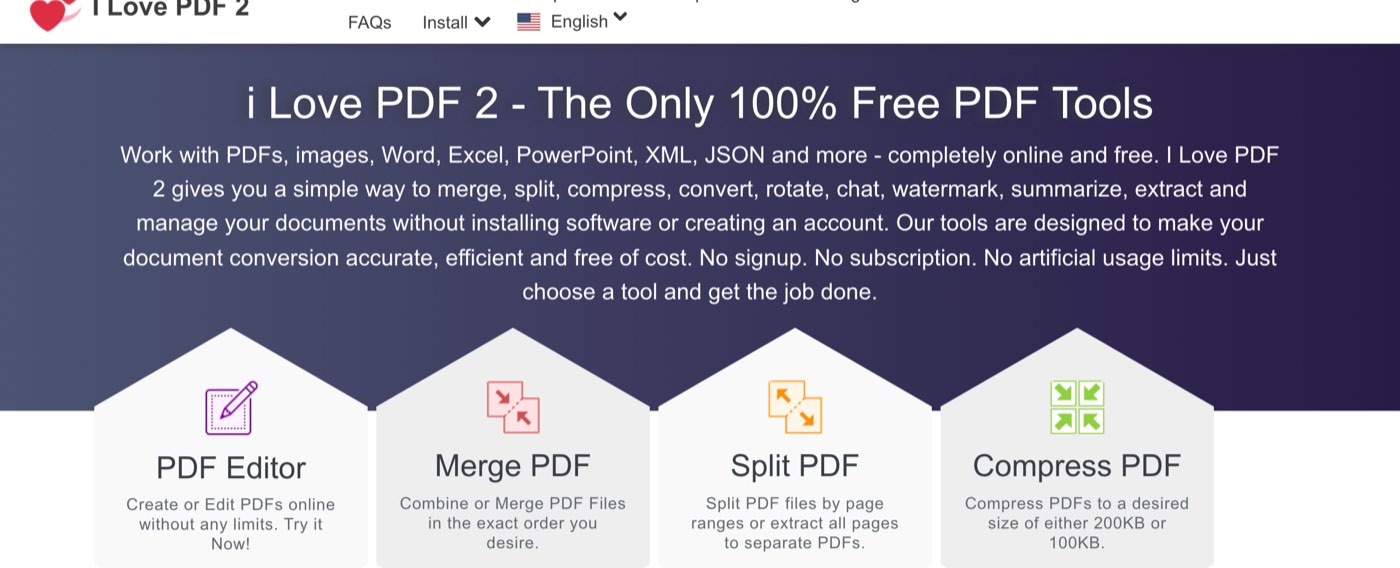
ilovepdf2.com on October 23, 2026. Despite the name and the heart logo, this is a different site registered in 2023, not the one this review is about.
The same goes for apps. The official Android app is published by the developer "iLovePDF" and is called "iLovePDF: PDF Editor & Scanner"; on Google Play it shows 4.6 stars from 3.51 lakh reviews and over 1 crore downloads, with in-app purchases. Anything else using the name is not from the company.
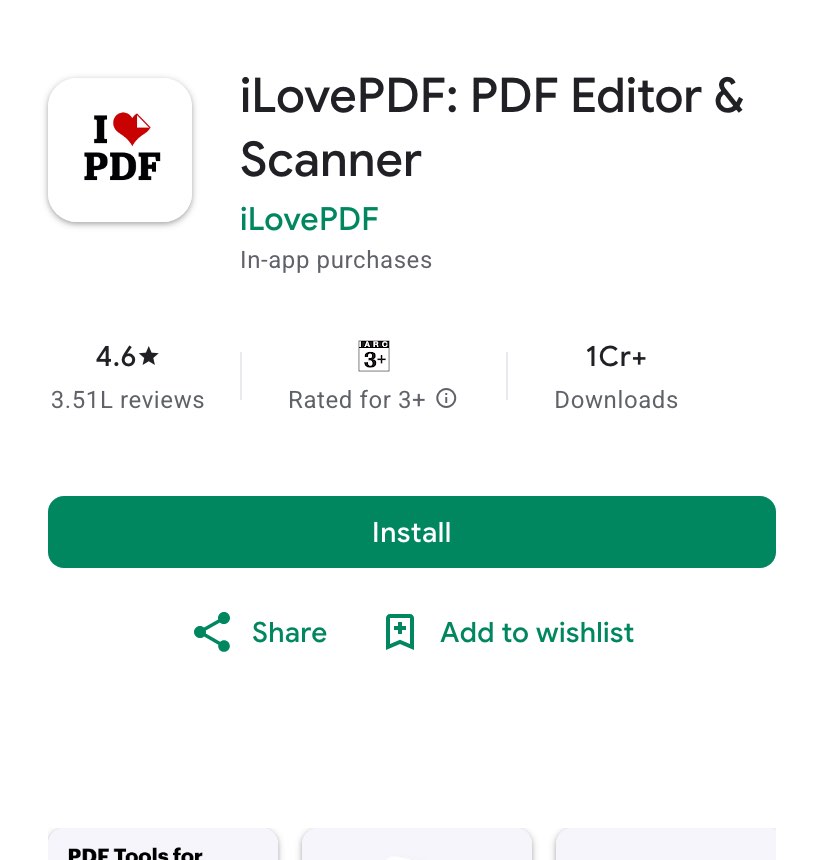
The official Android app on Google Play, October 23, 2026: 4.6 stars from 3.51 lakh reviews and more than 1 crore downloads. Check the developer name before installing.
What is free on iLovePDF, and what does Premium cost?
Every tool works without paying and without an account. The free plan limits two things per task: how many files you can add and how big they can be together. The pricing page lists each tool's limit, shown here as it appeared to a visitor from India on 23 October 2026.
Tool | Free: files per task | Free: size per task | Premium |
|---|---|---|---|
Merge PDF | 25 | 100 MB | 500 files, 4 GB |
Compress PDF | 2 | 200 MB | 10 files, 4 GB |
Split PDF | 1 | 100 MB | 1 file, 4 GB |
PDF to Word, Excel or PowerPoint | 1 | 15 MB | 10 files, 4 GB |
Word, Excel or PowerPoint to PDF | 1 | 15 MB | 10 files, 4 GB |
OCR PDF | 1 | 15 MB | 10 files, 4 GB |
PDF to JPG | 2 | 25 MB | 10 files, 4 GB |
JPG to PDF | 20 | 40 MB | 80 files, 4 GB |
Rotate PDF | 20 | 100 MB | 80 files, 4 GB |
Organize PDF | 5 | 100 MB | 20 files, 4 GB |
Protect or Unlock PDF | 2 | 100 MB | 80 or 10 files, 4 GB |
Sign PDF | 3 | 50 MB | 5 files, 50 MB |
Edit PDF | 1 | 100 MB | 1 file, 100 MB |
AI Summarizer | 1 | 50 MB | 1 file, 50 MB, 67 pages |
Translate PDF, PDF to Markdown | 1 | 15 MB | 1 file, 200 MB |
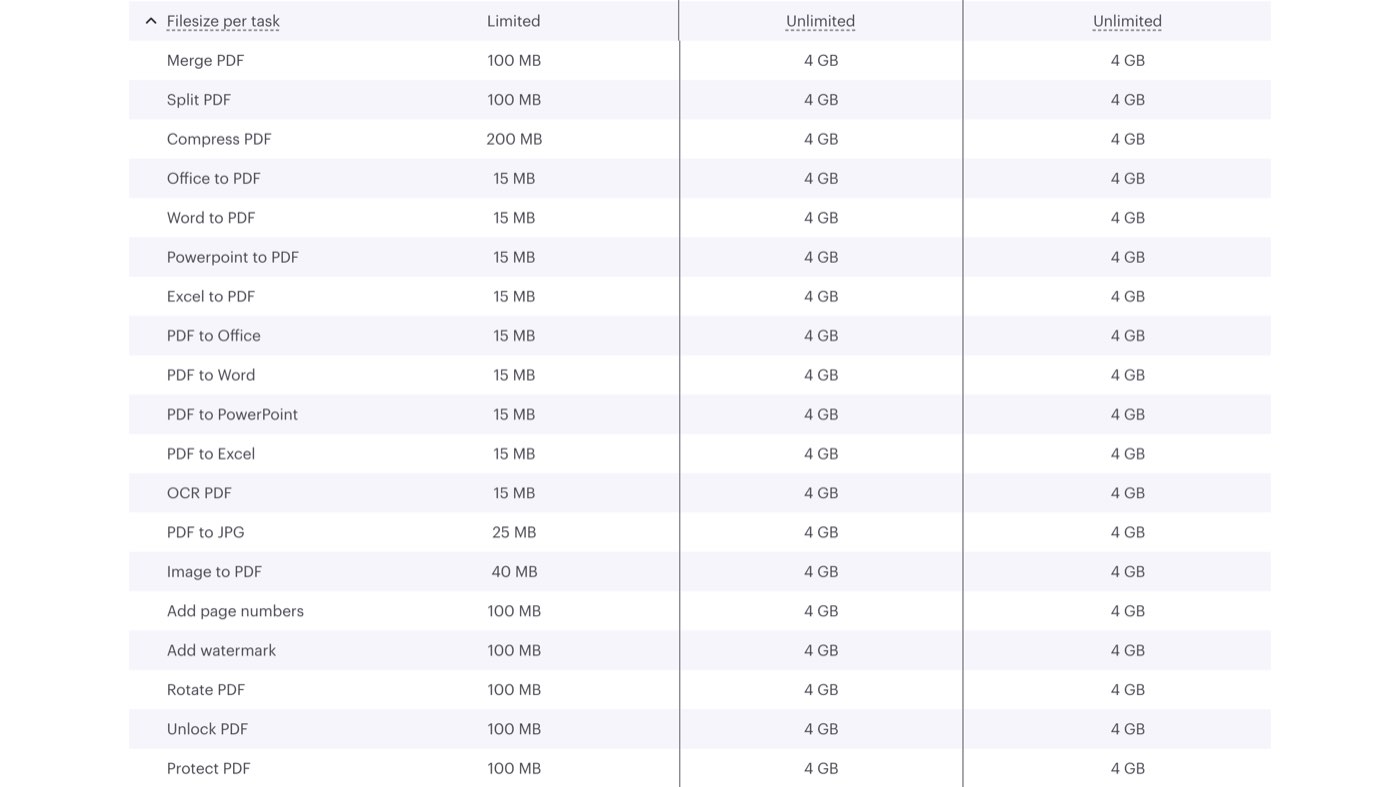
The "Filesize per task" rows of iLovePDF's pricing page on October 23, 2026. The 15 MB cap on Word, Excel and PowerPoint conversions is the one most people hit.
The 15 MB cap on conversions is the limit that bites: a scanned 40-page contract is often bigger than that. Compressing it first (200 MB allowed) and then converting is the free workaround. The free plan also shows ads; "Ad-free service" is a Premium line on the comparison table.
Premium costs ₹242 a month when billed yearly (₹2,900 a year) or ₹500 billed monthly, for one to 25 users, on the pricing page as shown in India. It adds "Unlimited document processing", the desktop and mobile apps, digital signatures, workflows that chain tools together, no ads, priority support, a choice of processing region and 2,000 AI credits a month for the summariser and translator. Business plans start at 25 users and are priced on request.
Is it worth paying? If you process PDFs daily, or regularly hit the 15 MB conversion limit, ₹242 a month is less than most alternatives charge. For someone who merges a few files a month, the free plan is the product.
How well do the tools work? Three real tests
We made two PDFs from pages of this website, an 11-page image-only file of 6.50 MB and a 7-page text file of 862 KB, and put them through Compress, Merge and PDF to Word from a headless Chrome browser in Delhi, as a visitor who had never signed in.
Tool | Input | Output | Processing time | Whole job, upload to saved file |
|---|---|---|---|---|
Compress PDF (Recommended) | 11 pages, 6.50 MB | 11 pages, 704 KB: 90% smaller | 6.5 s | 19 s |
Merge PDF | 7 pages + 11 pages | 18 pages, 7.35 MB, in the order given | 3.2 s | 22 s |
PDF to Word | 7 pages, 862 KB | 204 KB .docx, 217 of 219 distinct words kept | 4.5 s | 14 s |
Uploads took one to two seconds for each file on our connection, and most of each job was the download of the result. The compressor offers three levels: "Extreme compression" ("Less quality, high compression"), the pre-selected "Recommended compression" ("Good quality, good compression") and "Less compression" ("High quality, less compression"). We left it on Recommended.
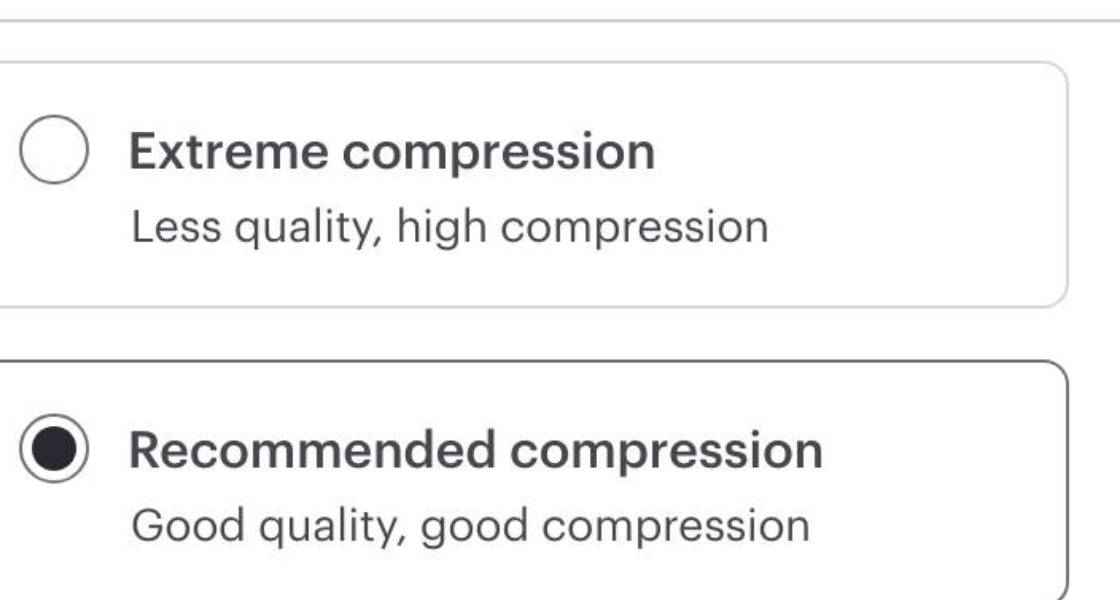
The Compress PDF options after a file is added, October 23, 2026. Recommended is pre-selected; Extreme is the one to try if a form needs to get under an upload limit.
The result page reported "PDFs have been compressed!" and "Your PDF are now 90% smaller!", with the figures "6.50 MB → 704.04 KB". Opening the file, all 11 pages were there and the screenshots inside were still readable at normal zoom, with visible softening on small text.
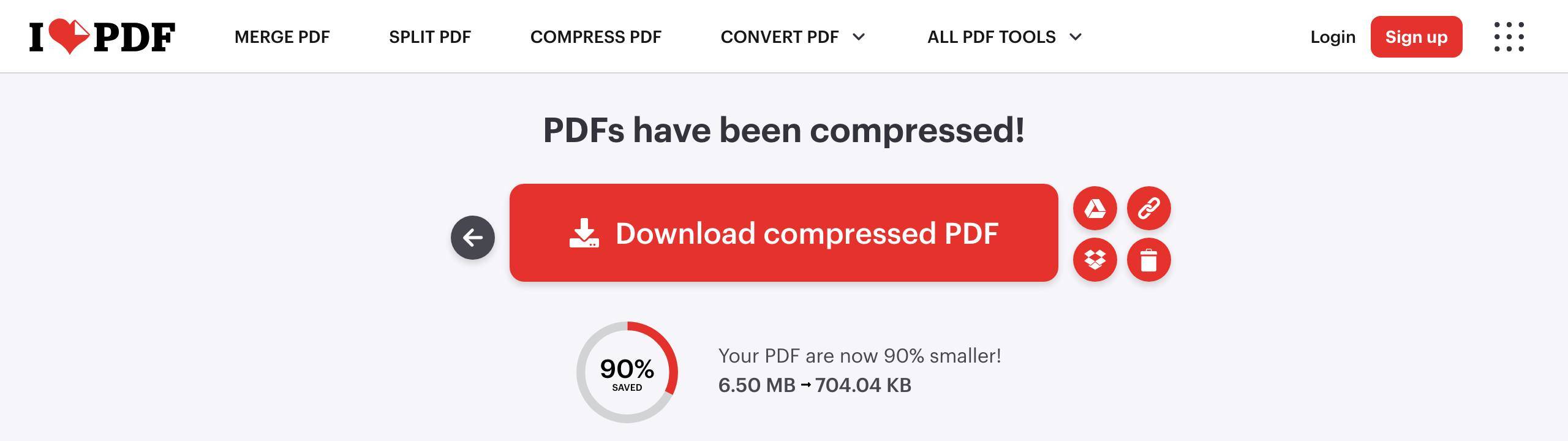
The Compress PDF result on October 23, 2026: our 6.50 MB test file came back at 704.04 KB. The icons beside the button send the file to Google Drive or Dropbox, make a share link, or delete it now.
PDF to Word is the tool to be careful with. The .docx had the headings and paragraphs, and all but two of the 219 distinct words in the source. But a web page printed to PDF has a complicated layout, and the converter reproduced it with 128 positioned text boxes rather than flowing text, swapping the fonts for Times New Roman, Trebuchet MS and Courier New.
That is faithful to look at and awkward to edit. A PDF made from a Word document converts back far more cleanly than one made from a web page or a scan; for scans, run OCR PDF first.
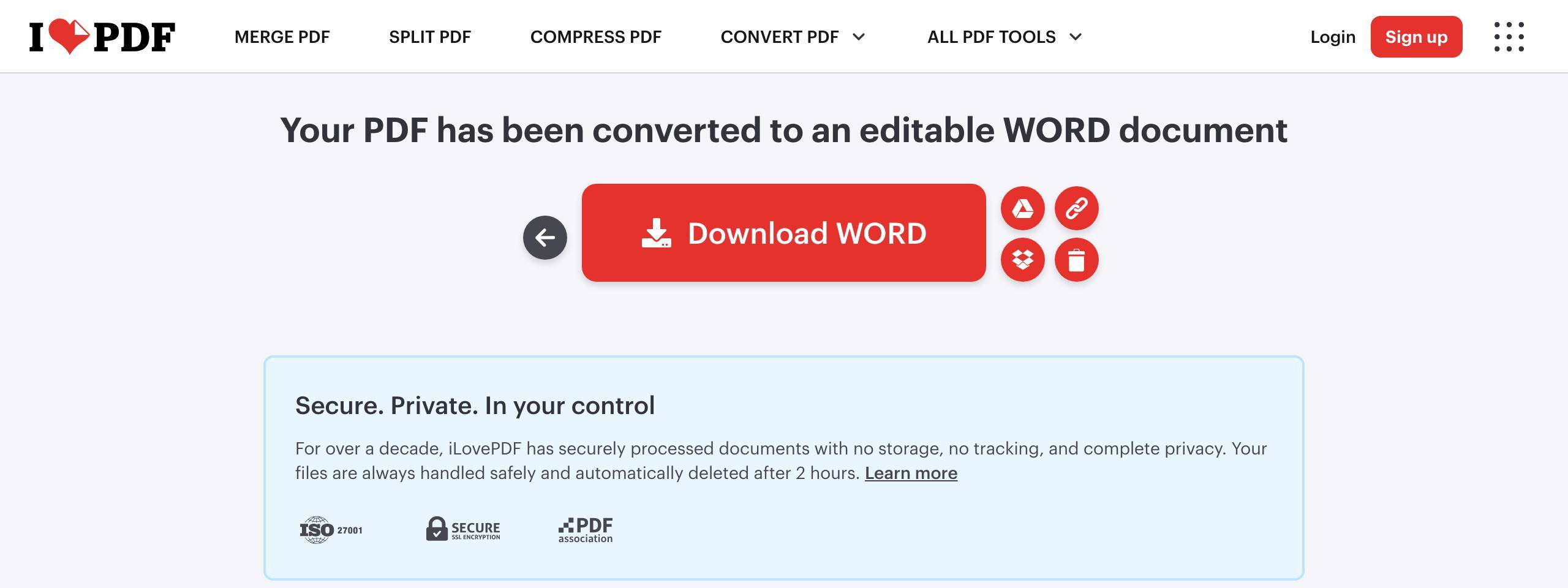
The PDF to Word result on October 23, 2026. The box under the button repeats the two-hour deletion promise on every result page.
How do you merge PDFs with iLovePDF?
Open ilovepdf.com/merge_pdf. You can also pick files from Google Drive or Dropbox with the icons beside the button.
Press "Select PDF files" and choose up to 25 files totalling up to 100 MB (the free limit), or drag them onto the page.
Drag the thumbnails into the order you want. There is a sort button for A to Z if the file names are numbered.
Press "Merge PDF". Our two files were joined in 3.2 seconds.
Press "Download merged PDF". The file keeps every page of every input; ours had 18.
Compressing works the same way with one extra step, choosing the level, and the free tool takes two files of up to 200 MB at a time. Converting to Word, Excel or PowerPoint is one file of up to 15 MB. If a job fails on size, the tool tells you before it starts; nothing is uploaded first and refused later.
When should you not use iLovePDF?
Confidential files. Anything you would not email to a stranger: keep it offline. On a Mac, Preview merges, rotates, compresses (File, Export, Quartz Filter) and signs PDFs with nothing installed. On Windows, Microsoft Print to PDF and the free PDF24 Creator cover the basics.
Rewriting text in a PDF. Edit PDF only adds content on top. You need the Word round trip described above, or a desktop editor.
Big batches, for free. Two files per compress job and 25 per merge is fine for a form or a report, not for a folder of 300 invoices. That is what Premium's batch limits and the desktop app are for.
Spreadsheets with live features. Excel to PDF prints what the sheet shows, so set the sheet up first; if yours uses drop-down lists, only the chosen value prints, not the list.
How this was tested
On 23 October 2026 from Delhi, a script drove a headless Chromium browser (Playwright) through ilovepdf.com's Compress PDF, Merge PDF and PDF to Word pages as an anonymous visitor. The test PDFs were printed from pages of writeouts.com by the same browser. The script timed the upload, the processing and the download separately, saved each result page as a screenshot (the images above are crops of those, nothing else changed), and downloaded the outputs.
Page counts were checked with pypdf; the Word file's text was compared with the PDF's text word by word, including the text inside text boxes. Pricing, limits and security wording were read from ilovepdf.com the same day, and the domain dates from the Verisign .com registry. The script and its results file are kept with the draft, as with our Remaker AI test.
Frequently asked questions
Is I Love PDF safe to use?
For everyday documents, yes. The company is in Barcelona, certified to ISO/IEC 27001:2022, deletes uploads within two hours and works under GDPR, as its security page sets out. The limit is that your file is processed on its servers, so keep identity documents and financial statements to offline tools, and use ilovepdf.com itself, not a lookalike.
Is iLovePDF free?
Yes, with limits per task rather than per month: for example 25 files and 100 MB for a merge, 200 MB for a compression and 15 MB for a conversion to Word, per the pricing page. There are ads. Premium is ₹242 a month billed yearly, or ₹500 month to month.
Do I need an account to use iLovePDF?
No. All three of our tests ran without signing in. An account is needed for Premium, for the desktop and mobile apps' paid features, and for sending signature requests.
Does iLovePDF keep my files?
It says not: files are deleted within two hours of processing, or immediately if you press the trash icon on the download screen, according to its security page. Signed documents are the exception, kept for up to five years.
Is ilovepdf2.com the same as iLovePDF?
No. ilovepdf2.com is an unrelated site registered in March 2023 that uses a similar name and logo. The company's site is ilovepdf.com.
Which compression level should I pick?
Recommended, unless you have to get under a specific upload limit. In our test on Compress PDF it cut an image-heavy 6.50 MB file to 704 KB while keeping the pages readable; Extreme trades more quality for a smaller file, and Less keeps quality at the cost of size.
The Writeouts editorial desk for everyday tech: guides and comparisons of AI tools, social media tools and the software people use to get work done. From the Writeouts editorial team.
See everything by @tech-deskEdited by Rajat Chauhan. How articles here are written and edited.
0 comments
Sign in to join the discussion.
Loading comments…